Navigating the Home screen
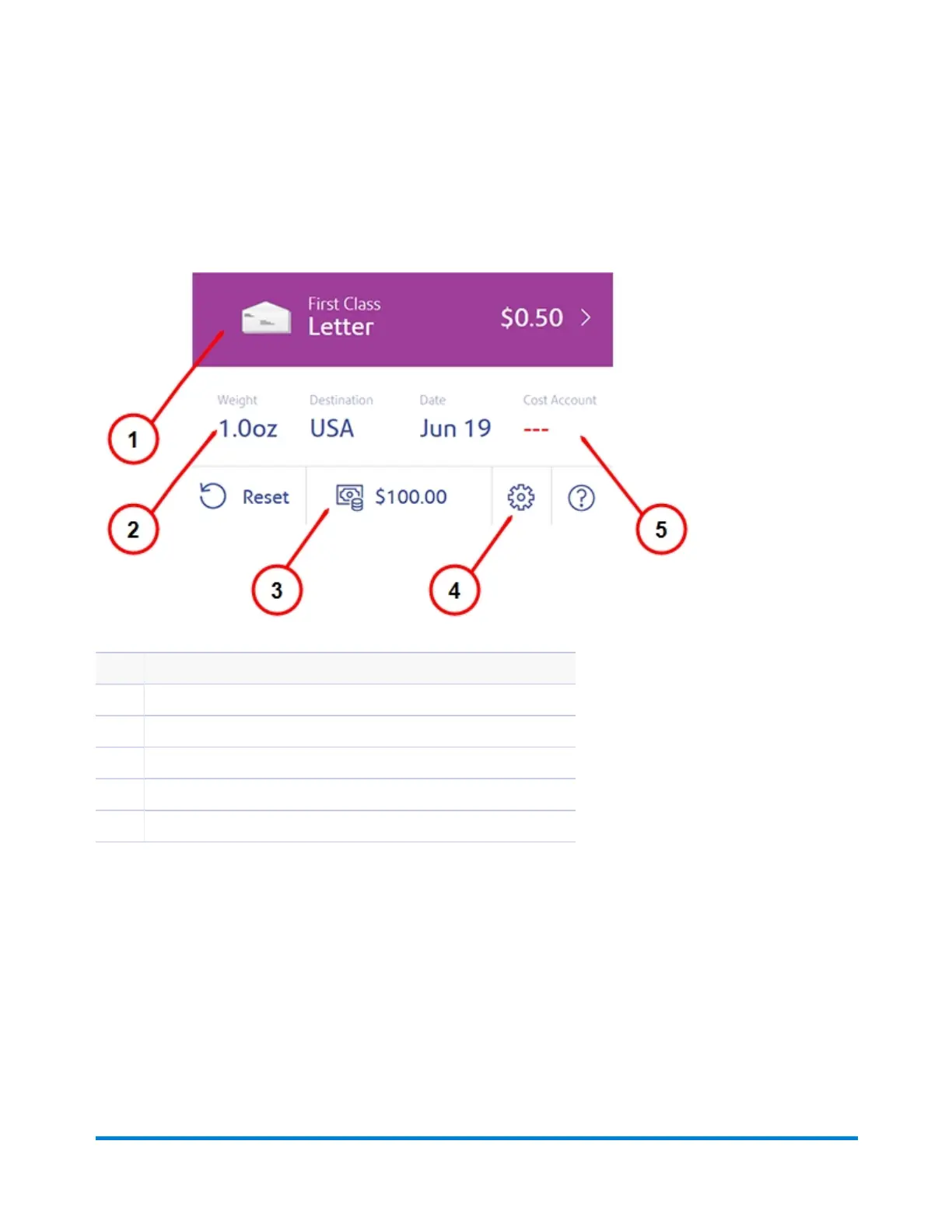
The Home screen on the SendPro Mailstation provides the starting point for printing postage.
Item Description
1 Mail type
2 Weight received from the scale. Tap here to enter weight manually.
3 Postage balance. Tap here to refill postage.
4 Settings (gear) icon.
5 Cost Account (optional).
Using your device
Pitney Bowes User Guide January 2021 12











 To Next Page