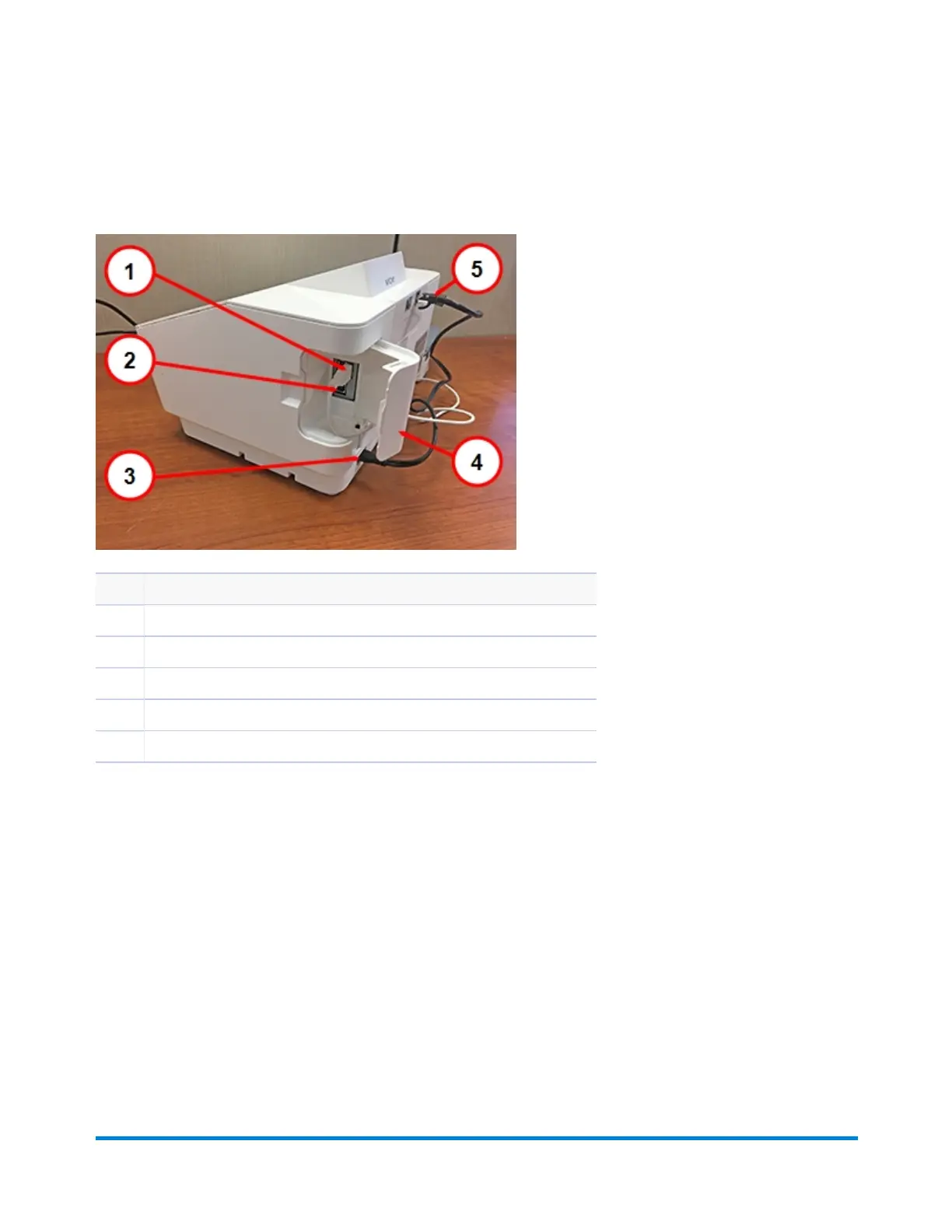
Connections on the back of the device
Item Description
1 USB port, type A for the external scale
2 USB port, type B. This port is inactive and will not support any devices.
3 AC power cable connection. Use only the provided power cable.
4 USB port cover
5 RJ45 (Ethernet) port for a LAN connection.
Using your device
Pitney Bowes User Guide January 2021 8











 To Next Page