FIG-1
FIG-2
A
B
14
INTRODUCTION
FIRMWARE VERSION
CHECK / UPDATE
FIG-1
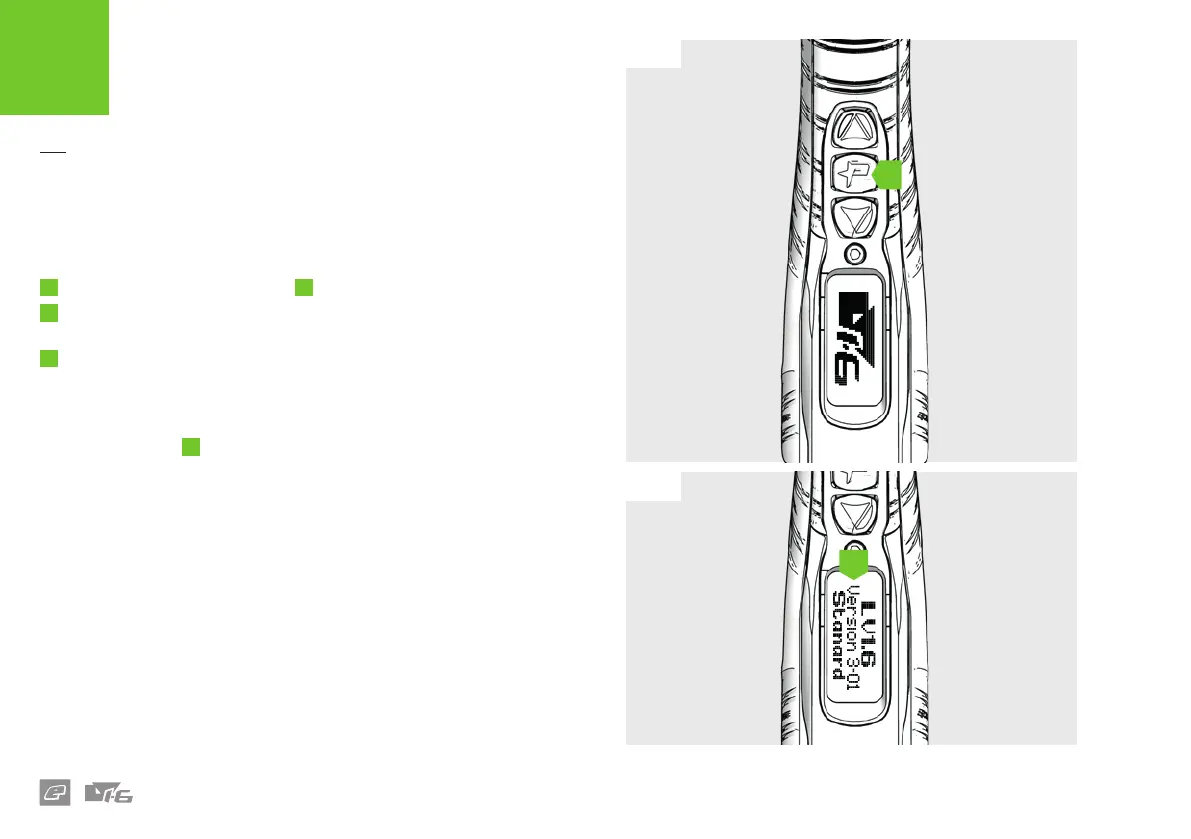
To check which version of rmware your marker is currently running
simply follow the sequence below.
1
Push and hold the Select button
A
to switch the marker ON.
2
When the LV1.6 logo appears let go of the Select button then push
and hold immediately to freeze the version screen.
3
The version screen (Fig-2) will now be displayed. Release the Select
button to continue the start-up process.
FIG-2
The Version number
B
indicates the software version of the marker.















 To Next Page