FIG-1
B
C
D
F
E
A
09
INTRODUCTION
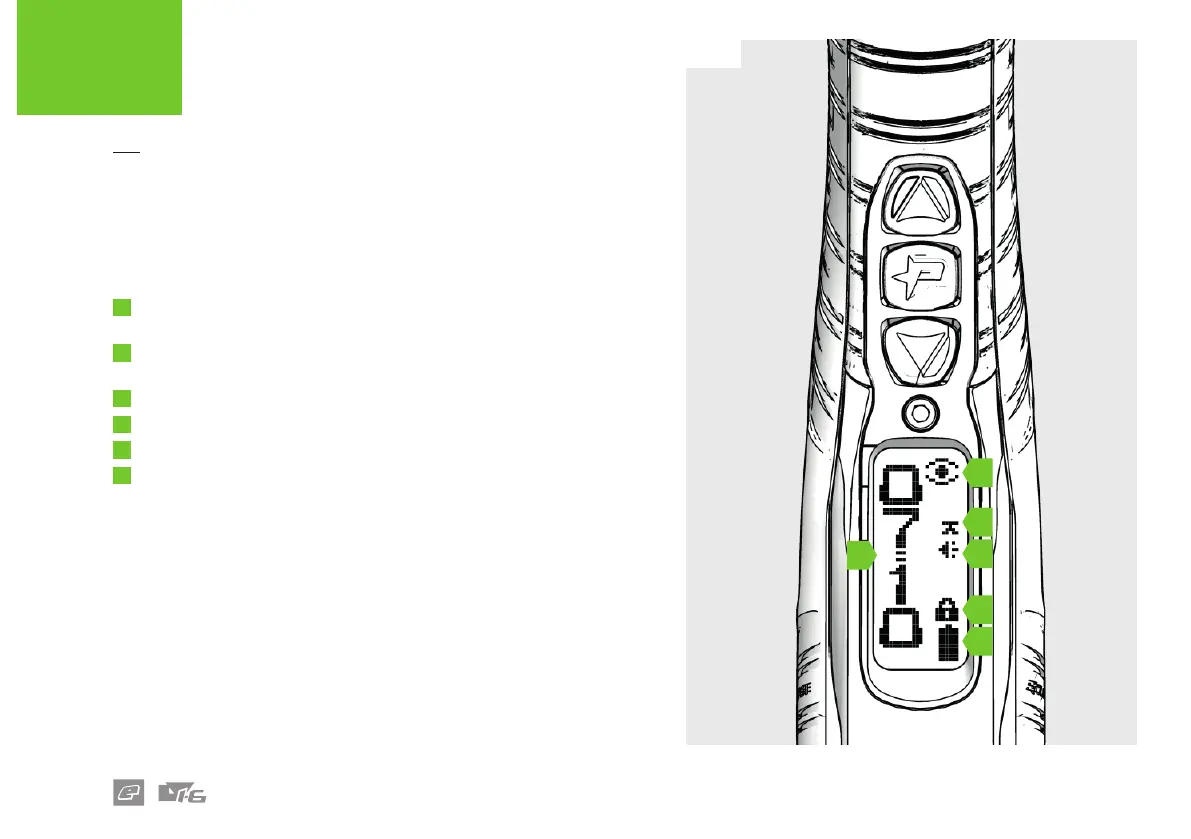
USER INTERFACE RUN-SCREEN
FIG-1
Once powered-up a run screen will be displayed. There are a number
of run screens and, with the exception of the splash screen, all have the
same layout.
A
Run screen specic information.
Tap the Up button to cycle through the run screens.
B
The breech sensor (BS) indicator (see page 10 for BS indicators and
their meanings).
C
The trigger detection indicator (see page 11).
D
The sound indicator.
E
The lock indicator (to change the lock state see page 13).
F
The battery level indicator (see page 13).















 To Next Page