FIG-1
23
ELECTRONICS
USER INTERFACE
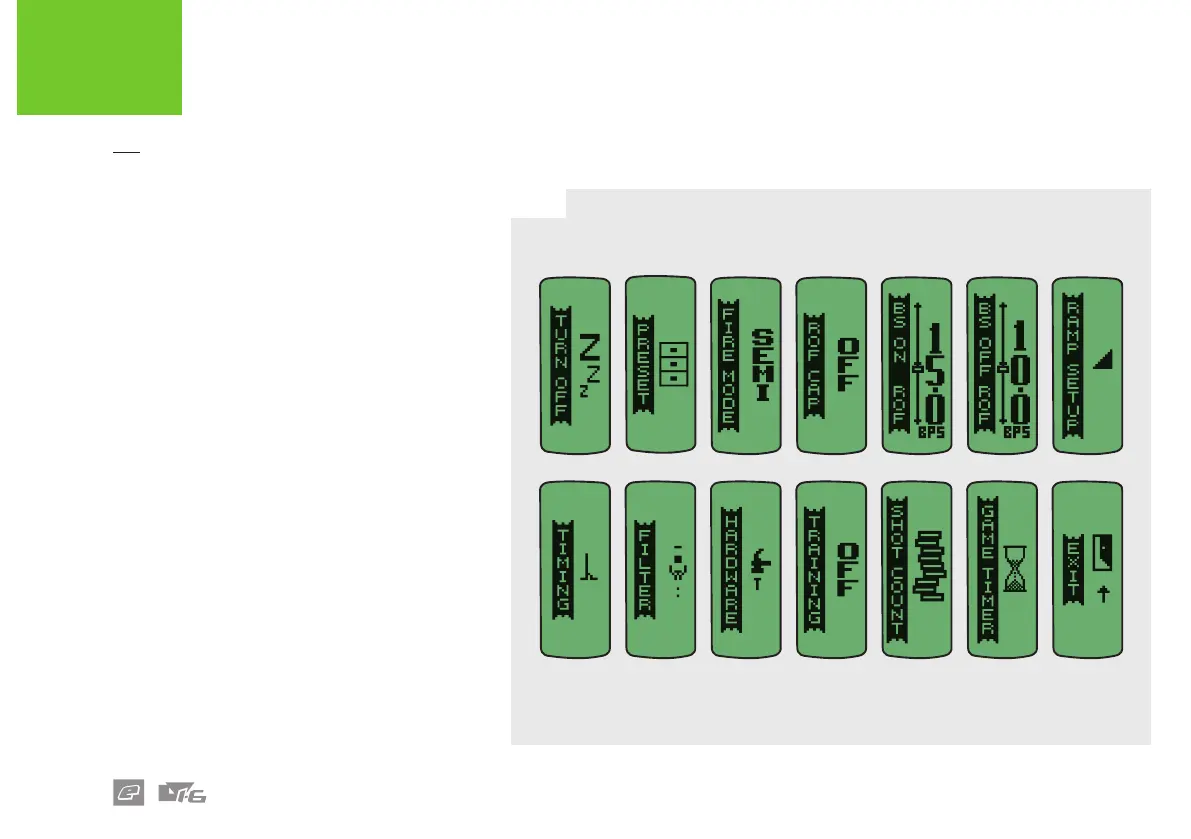
FIG-1
The marker can be congured through editable
parameters that are arranged in a menu system.
To access the menu when the marker is on, push
and hold the Select button until the TURN OFF
menu item is displayed. Double-clicking will also
access the menu if enabled. See page 35.
The top level menu shown opposite is comprised
of menu items, some of which are sub-menus
and some of which are editable parameters.
Some parameters aect the way the marker
shoots. These parameters can only be modied
when the tournament lock is o. See page 17.
The availability of some menu items is dependent
upon the setting of other parameters (e.g. the
RAMP SETUP sub menu is only available when
FIRE MODE is set to RAMP).
Select EXIT to return to the previous menu level,
or, if already on the top level, to leave the menu
system.
Select TURN OFF to turn o the marker.
The layout and parameters shown in this manual are correct at
the time of printing.















 To Next Page