- 17 -
Figure 4-5 Port Status screen
Table 4-2 Descriptions of the Port Status screen Objects
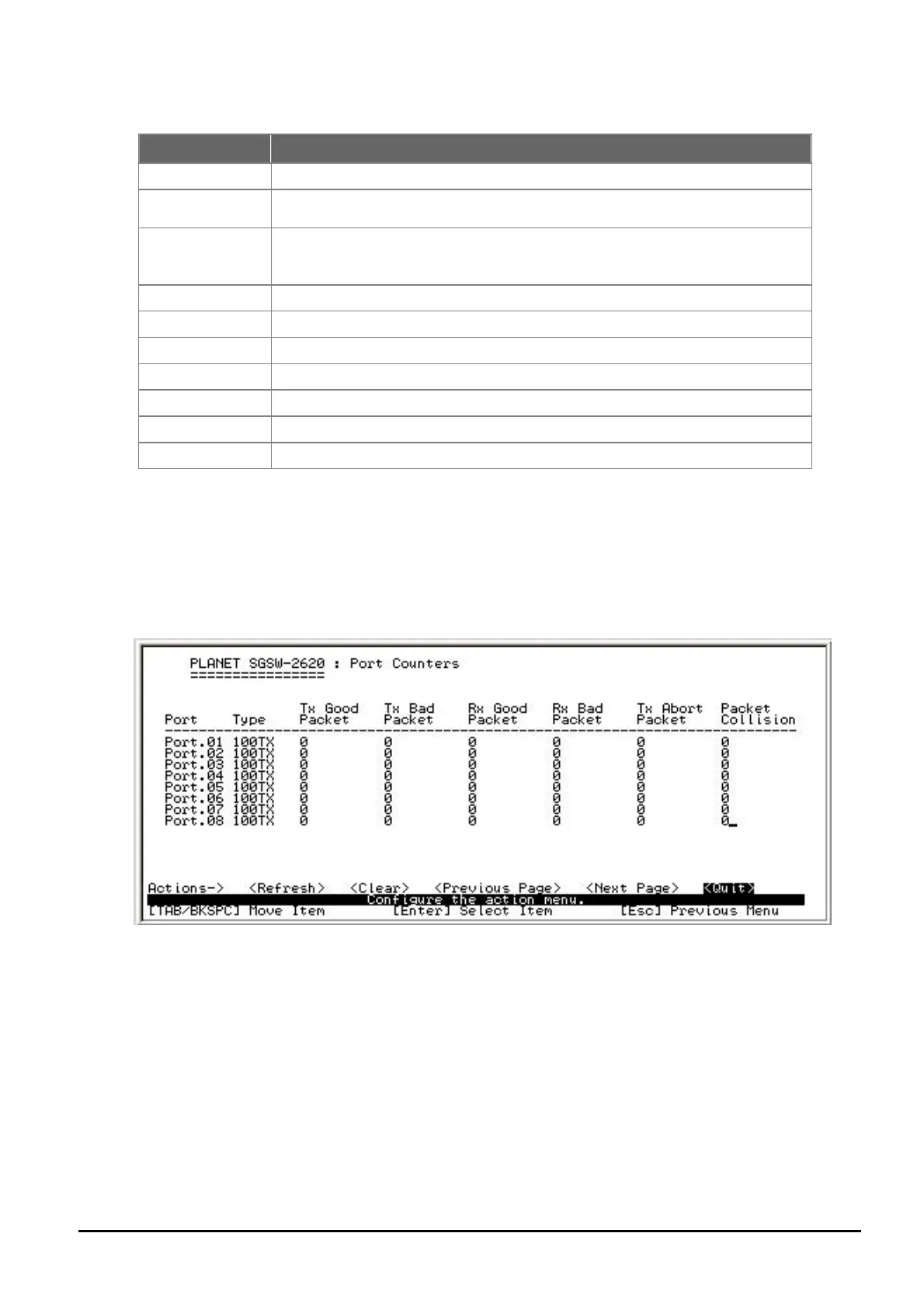
4.4.1.2 Port Counters
Display the traffic counters on each port of SGSW-2620, the Port Counters screen in Figure 4-6 ap-
pears.
Select the <Refresh> to get latest port counter information and choose <Clear> to set the port counter
information back to 0. Press < Previous Page > for back to previous page and < Next Page > for go to
next page. Also back to previous screen by press < Quit >.
Figure 4-6 Port Counters screen
Object Description
Type
Display per port connection speed duplex mode.
Link
Display per port link status, when the ports are connecting with the device and
work normally, the link status is “UP” and opposite is “Down”.
State
Display per port current status.
“Disable” – indicate the port is not function event the device is connected.
“Enable” – indicate the port working status is normal.
Negotiation
Display per port auto negotiation status.
Speed Duplex
Display per port speed duplex mode.
FC
Display per port flow control status by “on” and “off”.
BP
Display per port backpressure status by “on” and “off”.
Bandwidth In/Out
Display per port bandwidth In/out control status.
Priority
Display per port priority status.
Security
Display per port security status.



 To Next Page
 Loading...