User’s Manual of WGR-500-4P and WGR-500-4PV
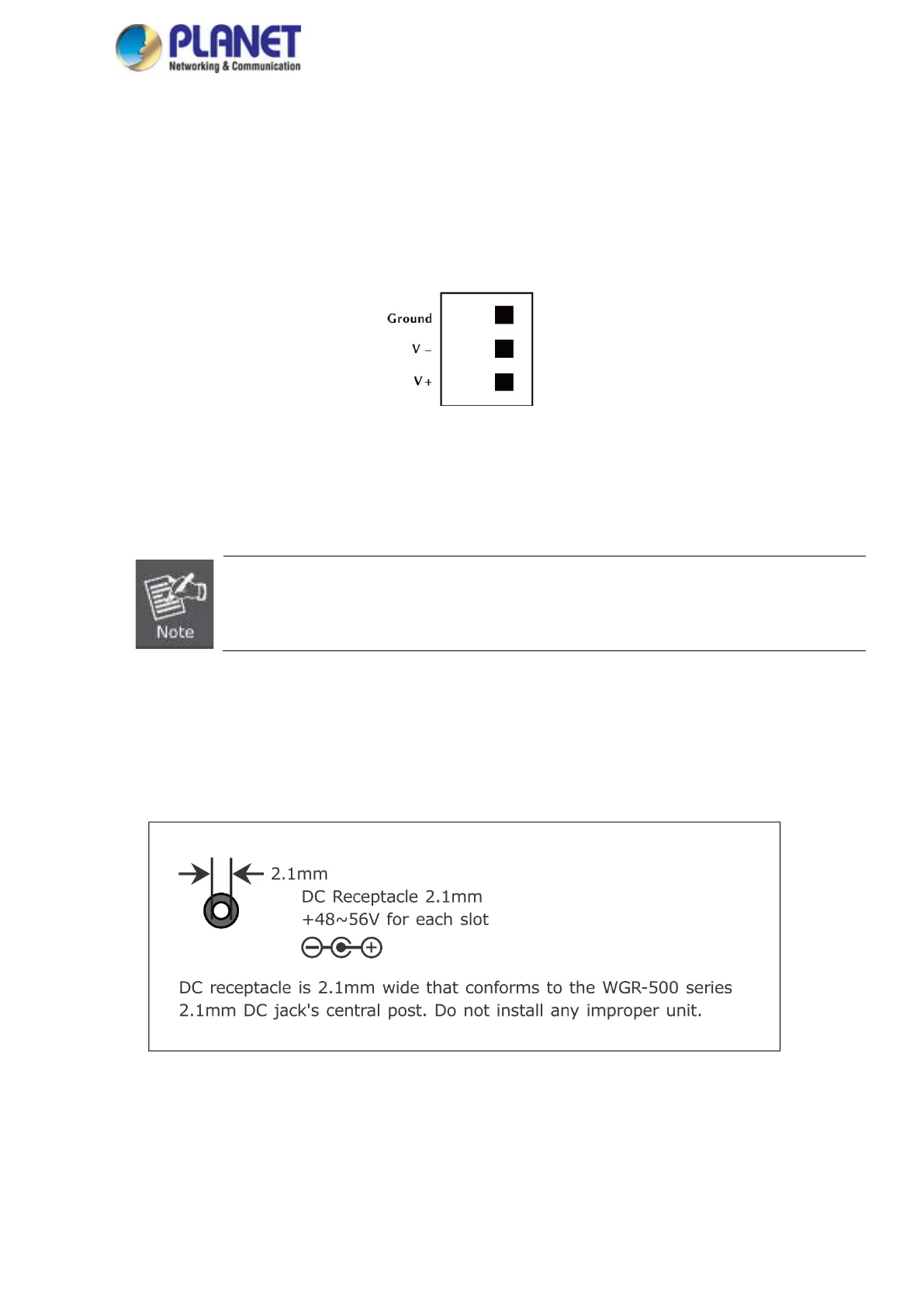
■ Terminal Block Connector Pinout
To install the 3-pin Terminal Block Connector on the industrial wall-mount Gigabit router, simply follow the following
steps:
Step 1: Insert positive DC power wire into V+, negative DC power wire into V-, and grounding wire into Ground as
shown in Figure 2-9.
Figure 2-9: Terminal Block Connector
Step 2: Tighten the wire-clamp screws for preventing the wires from loosening and plug them into the industrial
wall-mount Gigabit router
1. The wire gauge for the terminal block should be in the range of 12 ~ 24 AWG.
2. When performing any of the procedures like inserting the wires or tightening the wire-clamp screws,
make sure the power is OFF to prevent from getting an electric shock.
■ DC Power Jack
The WGR-500-4P and WGR-500-4P come with DC 48V~56V power input. The DC power jack is shown in Figure
2-10. If you have the issue of power connection, please contact your local sales representative.
Figure 2-10: DC Power Jack



 To Next Page