User’s Manual of WGR-500-4P and WGR-500-4PV
Chapter 2. Hardware Installation
This chapter describes the hardware of the industrial wall-mount Gigabit router and gives a physical overview and
different installation methods.
2.1 Product Outlook
This section describes the hardware features of the industrial wall-mount Gigabit router. For easier management
and control of the industrial wall-mount Gigabit router, familiarize yourself with its display indicators and ports.
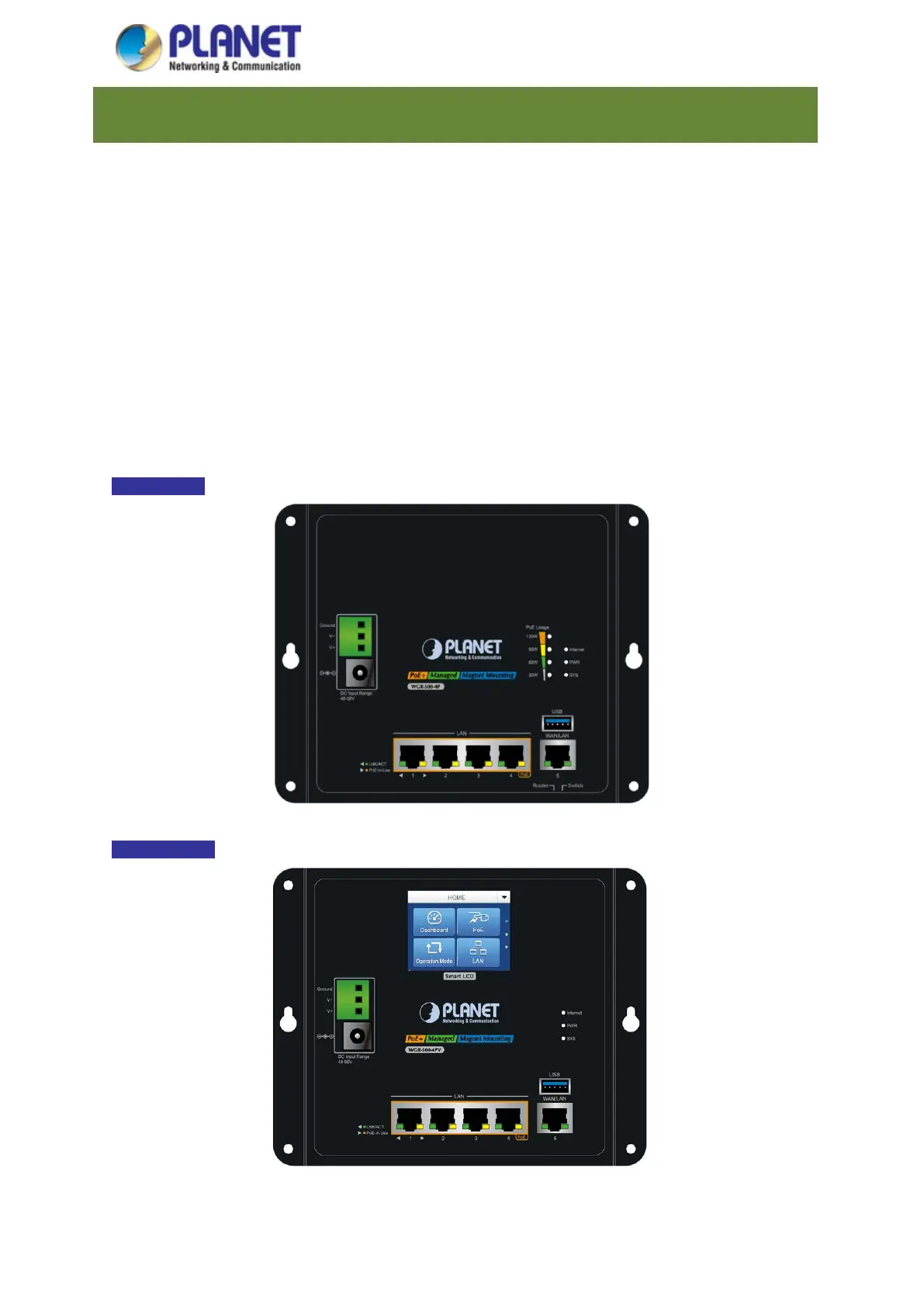
2.1.1 Front and Bottom Panel
The front panel provides a simple interface monitoring the industrial wall-mount Gigabit router. Figures 2-1 and 2-2
show the front panels of the industrial wall-mount Gigabit routers.
WGR-500-4P
Figure 2-1: Front Panel of WGR-500-4P
WGR-500-4PV
Figure 2-2:
Front Panel of WGR-500-4PV



 To Next Page