User’s Manual of WGR-500-4P and WGR-500-4PV
4.4.2 DoS
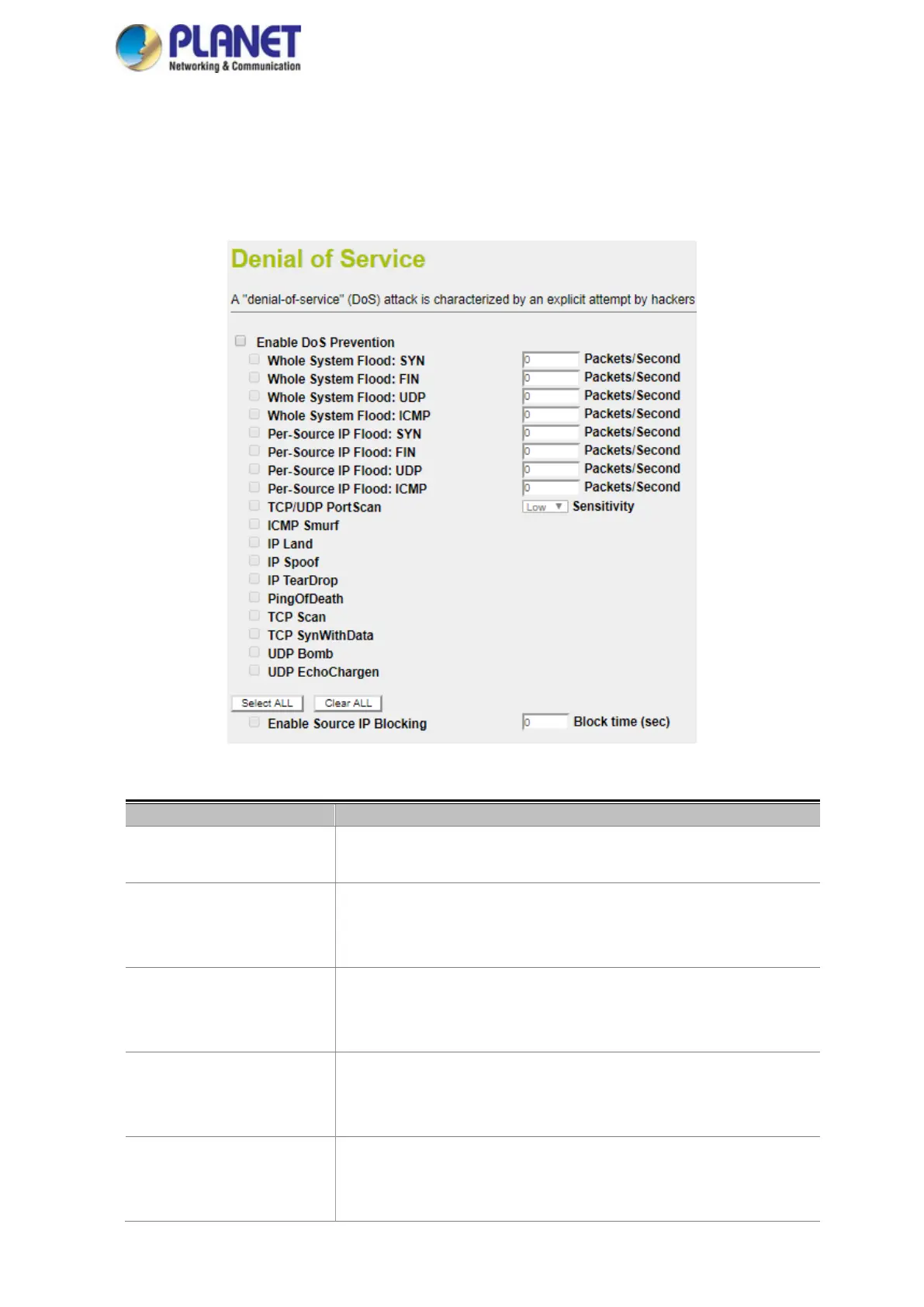
A "Denial-of-Service" (DoS) attack is characterized by an explicit attempt by hackers to prevent legitimate users of
a service from using that service. The industrial wall-mount Gigabit router can prevent specific DoS attacks as
shown in Figure 4-39.
Figure 4-39: DoS
Enable DoS Prevention
Check to enable DoS function.
User may set other related configurations about DoS below.
Whole System Flood SYN
Check the box to enable. If enabled, when the number of the current SYN
packets is beyond the set value, the router will startup the blocking function
immediately.
Whole System Flood FIN
Check the box to enable. If enabled, when the number of the current FIN
packets is beyond the set value, the router will startup the blocking function
immediately.
Whole System Flood UDP
Check the box to enable. If enabled, when the number of the current
UPD-FLOOD packets is beyond the set value, the router will startup the
blocking function immediately.
Whole System Flood ICMP
Check the box to enable. If enabled, when the number of the current
ICMP-FLOOD packets is beyond the set value, the router will startup the
blocking function immediately.



 To Next Page