User’s Manual of WGR-500-4P and WGR-500-4PV
4.5.5 PoE Schedule
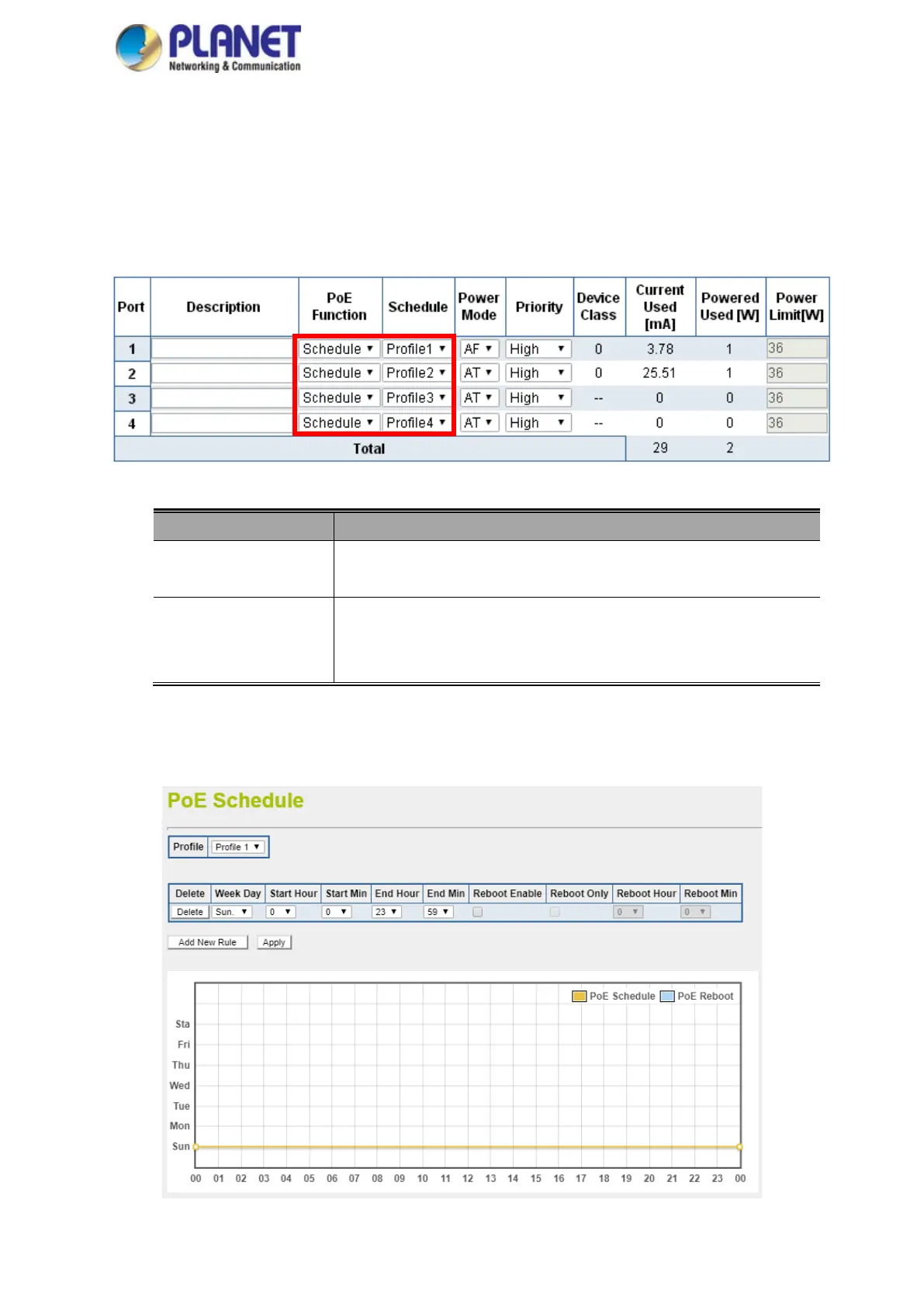
This page provides user to configure PoE schedule and scheduled power recycling. The “PoE schedule” helps you
to enable or disable PoE power feeding for PoE ports during specified time intervals and it is a powerful function to
help SMBs or enterprises save power and money.The PoE Schedule Profile Web Screens are shown in Figure
4-49.
Figure 4-49: PoE Function
Object Description
PoE Function
Allows user to disable or enable per port PoE function, and also allows to
choose schedule for enabling PoE Schedule function of each port.
Schedule
Indicates the scheduled profile mode. Possible profiles are:
Profile1/Profile2/Profile3/Profile4
This function is available when choosing schedule on each port.
PoE Schedule user can configure a duration time for PoE port as default value does not provide power as shown
in Figure 4-50.
Figure 4-50: PoE Schedule



 To Next Page