User’s Manual of WGR-500-4P and WGR-500-4PV
Appendix C: Planet DDNS
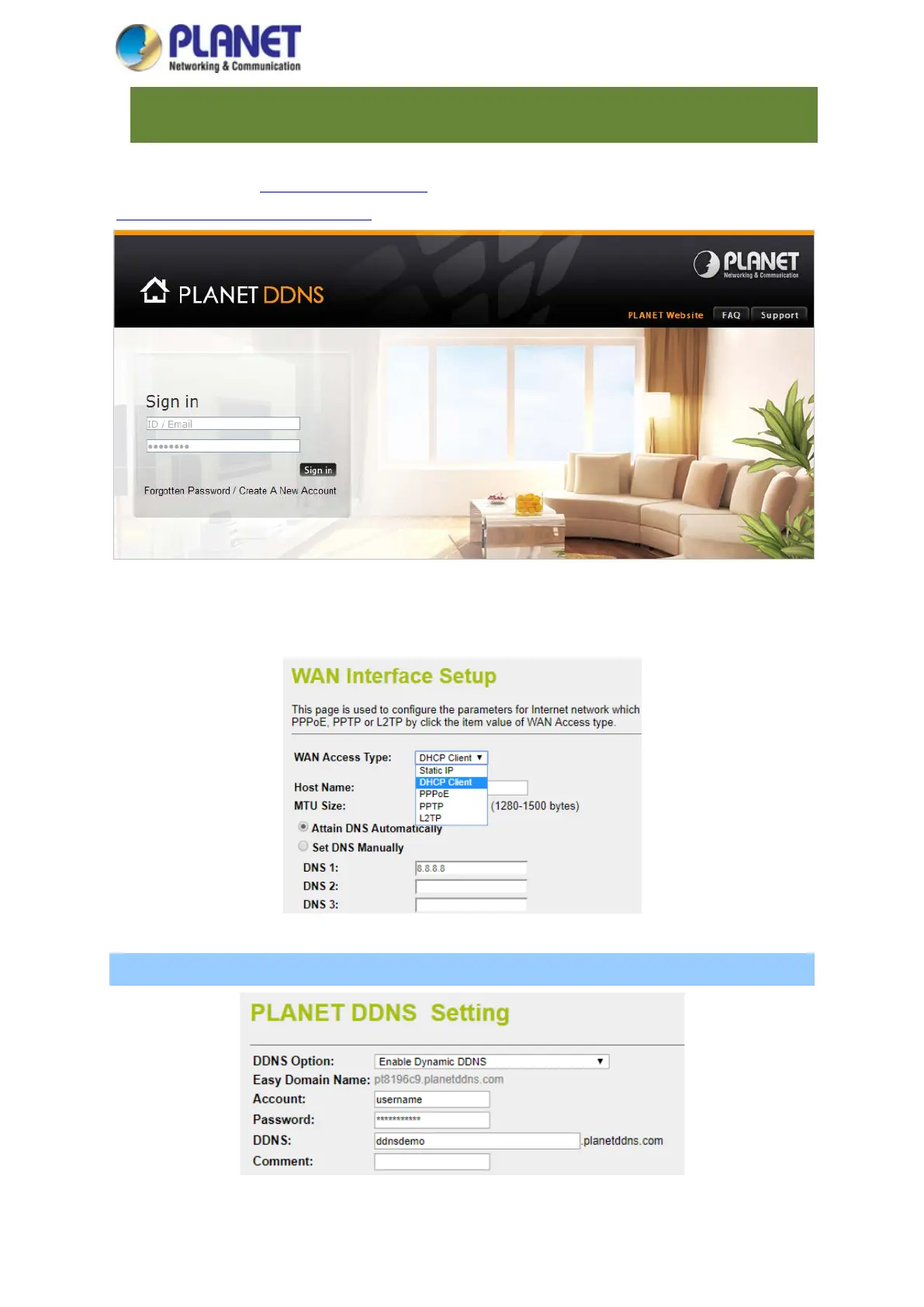
First of all, please go to http://www.planetddns.com to register a Planet DDNS account, and refer to the FAQs
(http://www.planetddns.com/index.php/faq) for how to register a free account.
When you finish your DDNS account, please return to WAN Setup -> WAN Setup to set up your WAN type which
can be connected to external network.
Step 1. Enable PLANET Dynamic DDNS, and enter acoount, password, and DDNS.



 To Next Page