User’s Manual of WGR-500-4P and WGR-500-4PV
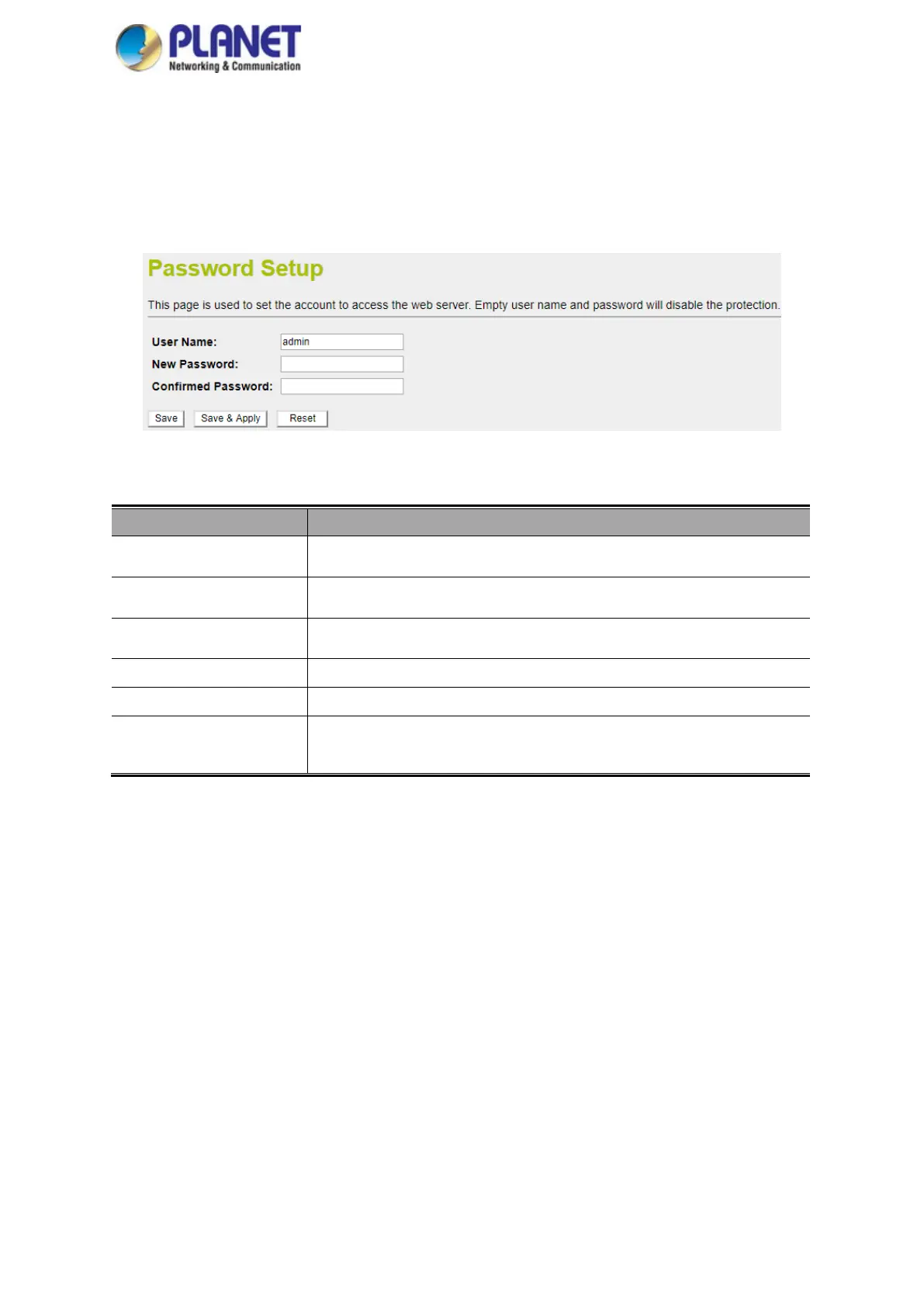
4.2.7 User Configuration
To ensure the industrial wall-mount Gigabit router's security is secure, you will be asked for your password when
you access the industrial wall-mount Gigabit router's Web-based utility. The default user name and password are
"admin". This page will allow you to modify the user name and passwords as shown in Figure 4-21.
Figure 4-21: User Configuration
Object Description
User Name Enter user name.
New Password Input password for this user.
Confirmed Password Confirm password again.
Save Press this button to save changes.
Save & Apply Press this button to save and apply changes.
Reset
Press this button to undo any changes made locally and revert to previously
saved values.



 To Next Page