User’s Manual of WGR-500-4P and WGR-500-4PV
4.2.8 SNMP
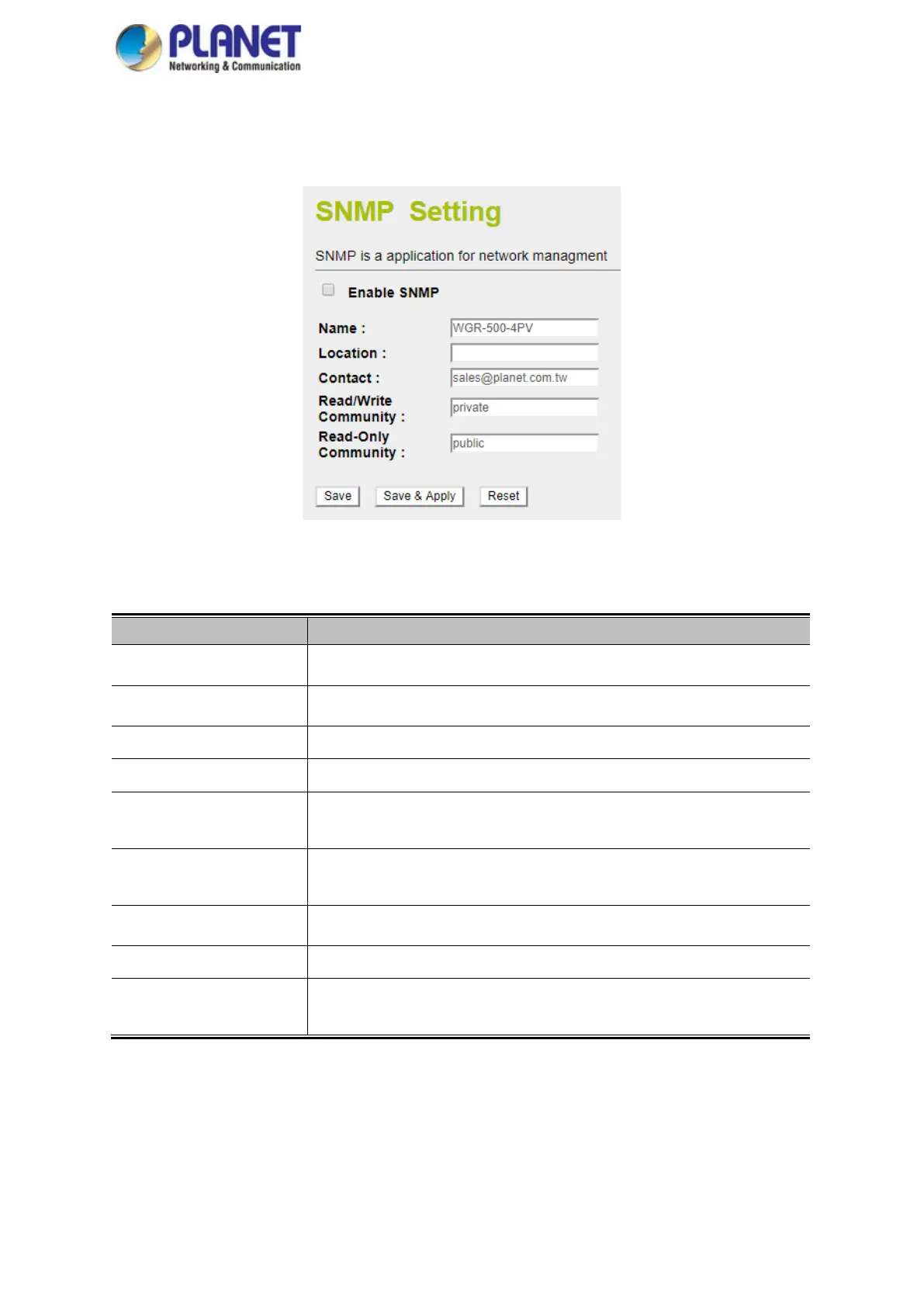
This section provides SNMP setting of industrial wall-mount Gigabit router as shown in Figure 4-22.
Figure 4-22: SNMP
Object Description
Enable SNMP Disable or enable the SNMP function.
Name
Allows to enter characters for Name of industrial wall-mount Gigabit router.
Location
Allows to enter characters for Location of industrial wall-mount Gigabit router.
Contact
Allows to enter characters for contact of industrial wall-mount Gigabit router.
Read/Write Community Allows to enter characters for SNMP Read/Write Community of industrial
wall-mount Gigabit router.
Read-Only Community Allow to enter characters for SNMP Read-Only Community of industrial
wall-mount Gigabit router.
Save
Press this button to save changes.
Save & Apply
Press this button to save and apply changes.
Reset
Press this button to undo any changes made locally and revert to previously
saved values.



 To Next Page