User’s Manual of WGR-500-4P and WGR-500-4PV
Chapter 4. Configuration in Web UI
This chapter describes how to use Web-based browser interface for configuring and managing industrial
wall-mount Gigabit router.
4.1 Main Web Page
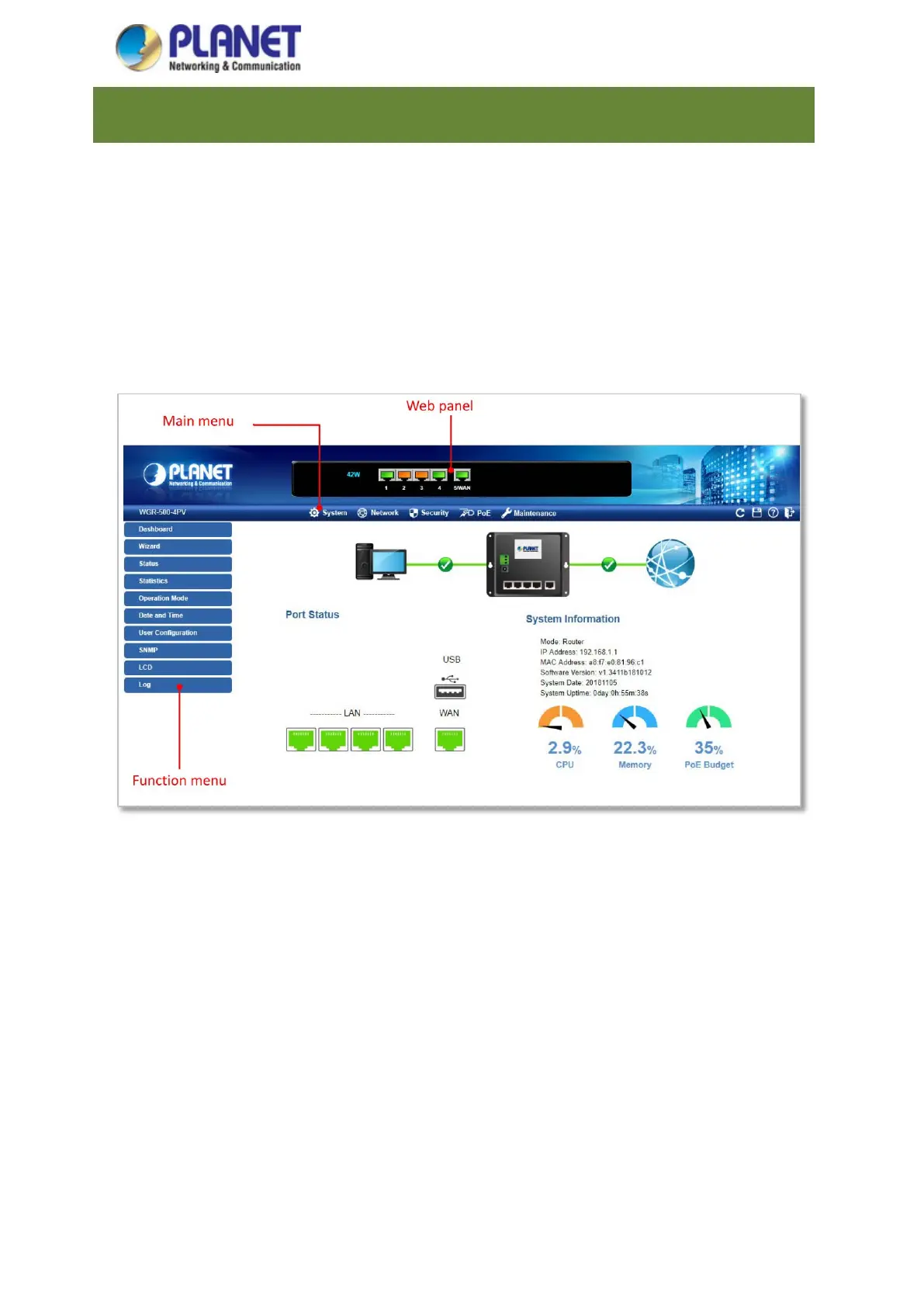
After a successful login, the main web page appears. The web main page shown in Figure 4-1 displays the web
panel, main menu, function menu, and the main information in the center.
Figure 4-1: Web Main Page



 To Next Page