User’s Manual of WGR-500-4P and WGR-500-4PV
■ Web Panel
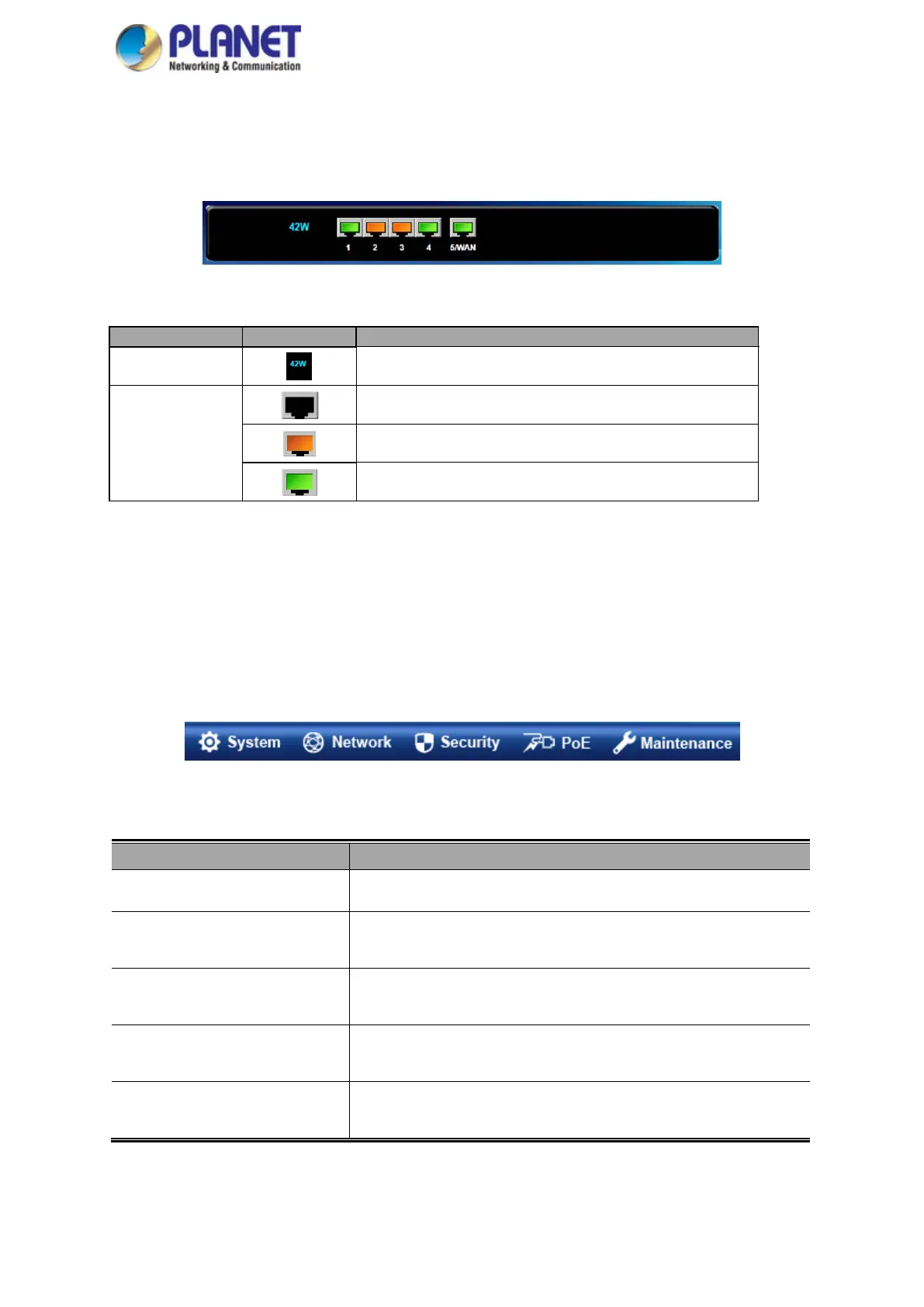
The web panel displays an image of the industrial wall-mount Gigabit router’s ports as shown in Figure 4-2.
Figure 4-2: Web Panel
■ Main Menu
The main menu displays the product name, function menu, and main information in the center. Via the Web
management, the administrator can set up the industrial wall-mount Gigabit router by selecting the functions those
listed in the function menu and button as shown in Figures 4-3 and 4-4.
Figure 4-3: Function Menu
Object Description
System
Provides System information of industrial wall-mount Gigabit router.
Network Provides WAN, LAN and network configuration of industrial wall-mount
Gigabit router.
Security Provides QoS and security configuration of industrial wall-mount Gigabit
router.
PoE Provides PoE Management configuration of industrial wall-mount
Gigabit router.
Maintenance Provides firmware upgrade and setting file restore/backup configuration
of industrial wall-mount Gigabit router
PoE Cosumption
To indicate the PoE consumption.
LAN
To indicate the LAN with the RJ45 plug-in.
To indicate the PoE is in use.
To indicates network data is sending or receiving



 To Next Page