User’s Manual of WGR-500-4P and WGR-500-4PV
Step 2: Install a conductor pipe inside the board hole and flush the edge of the conductor pipe with the wall
surface.
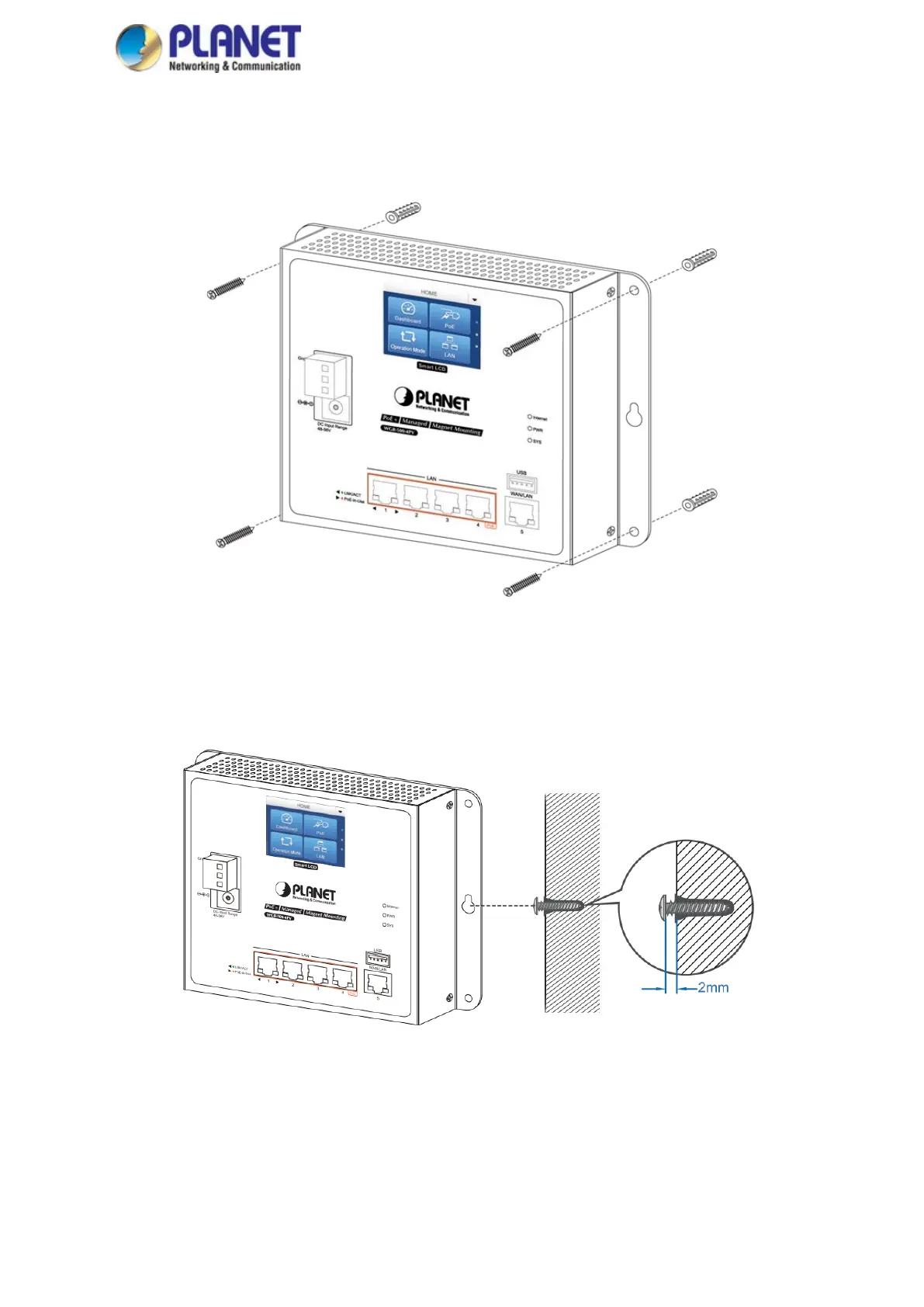
Step 3-1: Screw the bolts into the conductor pipe. The industrial wall-mount Gigabit router is between bolts and
conductor pipe as shown in Figure 2-12.
Figure 2-12: Router is screwed to the wall
Step 3-2: Insert screws into the wall anchors, leaving 2mm of each screw exposed. Place the wall-mount slots
over the screws and slide the device down until the screws fit snugly into the wall-mount slots. The
industry router can be hung on the wall as shown in Figure 2-13.
Figure 2-13: Router is hung on the wall



 To Next Page