User’s Manual of WGR-500-4P and WGR-500-4PV
Step 3: Time Zone Setting
The Time Configuration option allows you to configure, update, and maintain the correct time on the internal
system clock. Daylight Saving can also be configured to automatically adjust the time when needed.
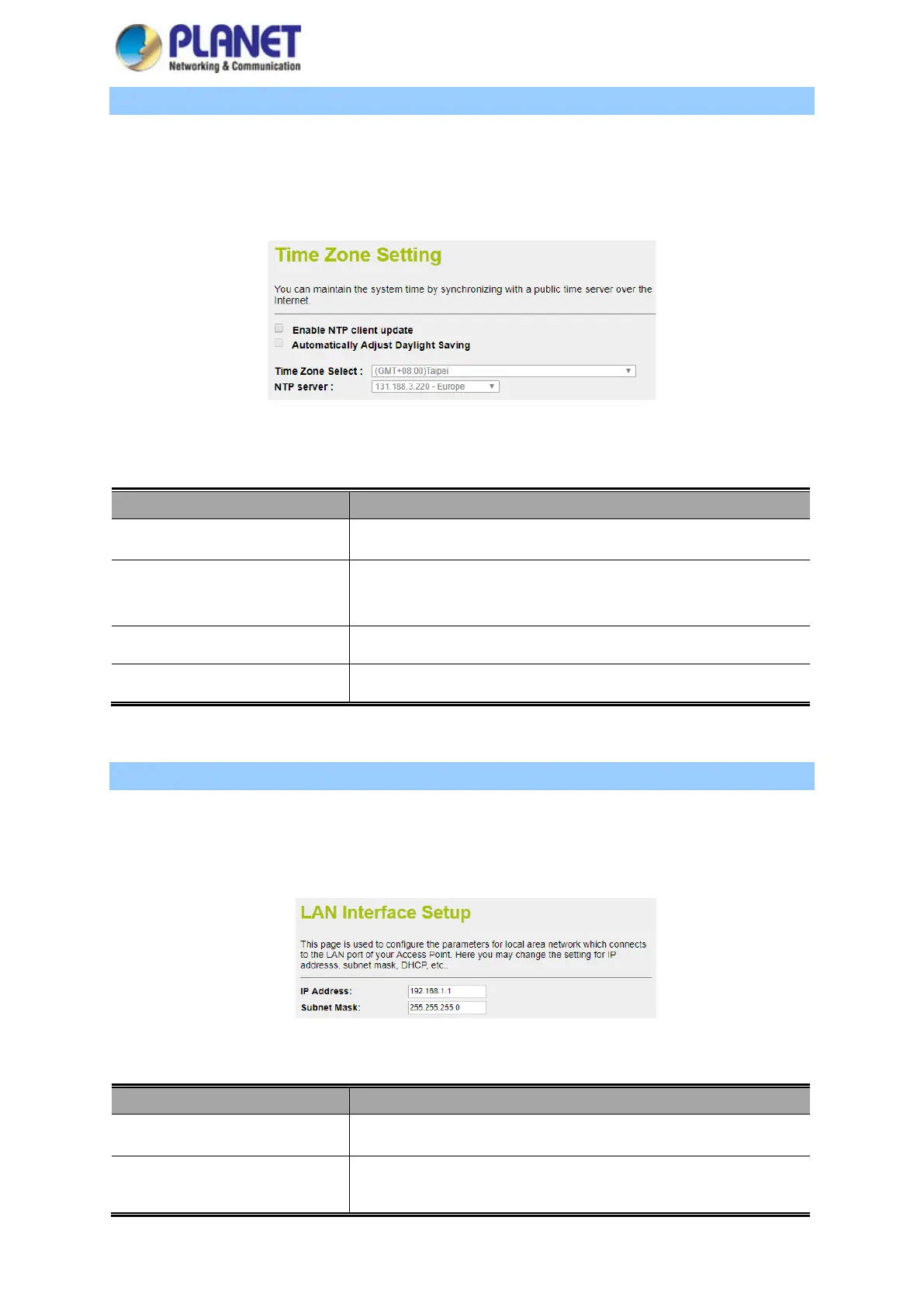
The setup is shown in Figure 4-9
Figure 4-9: Setup Wizard – Time Zone Configuration
Object Description
Enable NTP client update Check this box to connect NTP server and synchronize internet time.
Automatically Adjust Daylight
Saving
Check this box to adjust the daylight saving automatically.
Time Zone Select Select the Time Zone from the drop-down menu.
NTP Server Select the NTP server from the drop-down menu.
Step 4: LAN Interface Setting
Set up the IP Address and Subnet Mask for the LAN interface as shown in Figure 4-10.
Figure 4-10: Setup Wizard – LAN Configuration
Object Description
IP Address Enter the IP address of your Router. The default: 192.168.1.1
Subnet Mask An address code that determines the size of the network. Normally use
255.255.255.0 as the subnet mask.



 To Next Page