GRAPHIC USER INTERFACE
24 Planmeca Proline XC Panoramic X-ray
User's manual
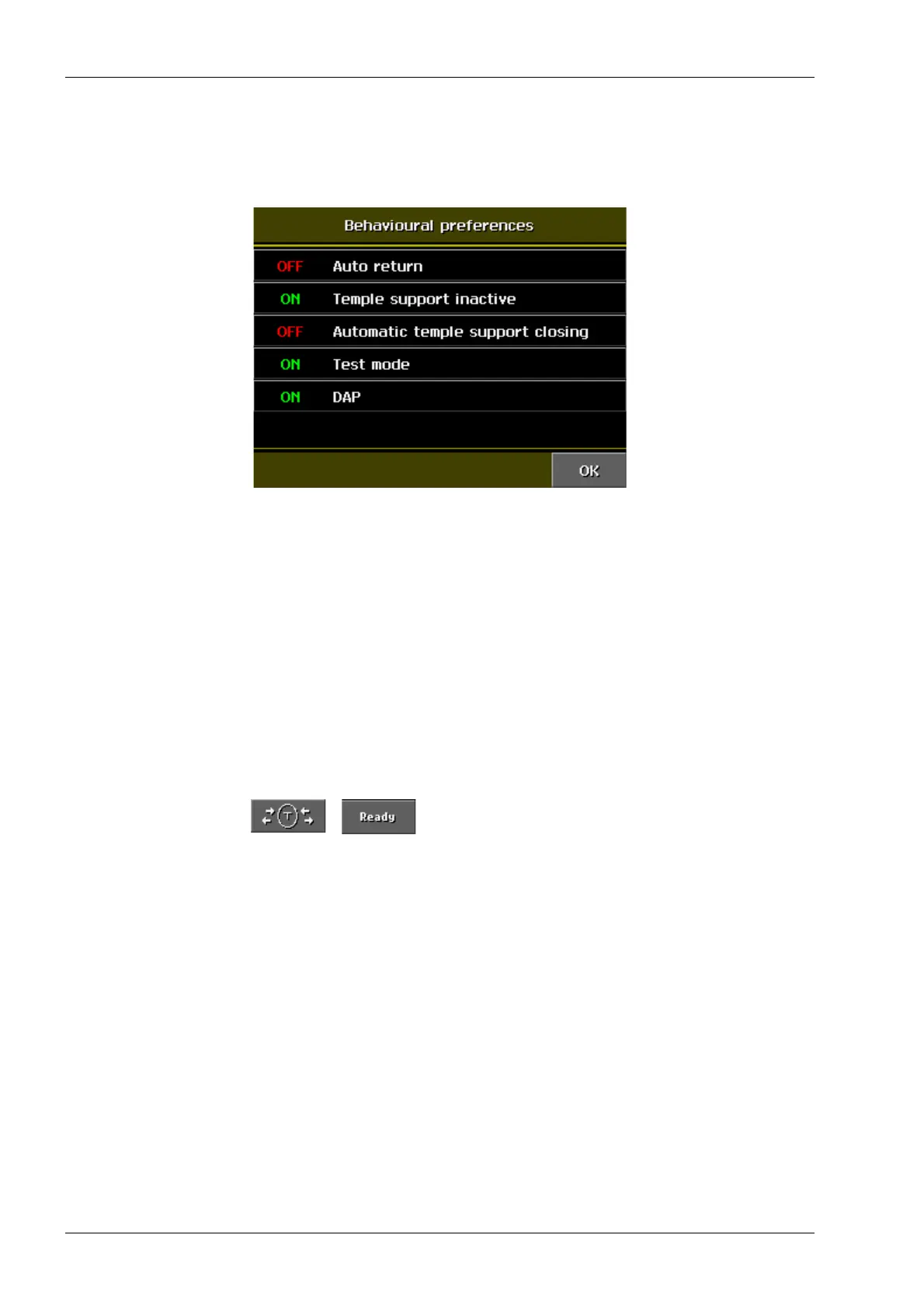
7.4.2 Behavioural preferences
Select Behavioural preferences on the User
preference settings display. The following display
appears.
You can enable/disable the following functions by
touching the required function. Confirm your selection
by touching OK and restart the X-ray unit.
Auto return
The X-ray unit can be set so that the rotating unit will
automatically return to the entry position at the end of
an exposure.
Temple support inactive
The X-ray unit can be used without temple support
when the temple support motor is inactivated. After
enabling the Temple support inactive -function,
remove the temple supports.
Automatic temple support closing
The temple supports will automatically close when the
T field or the Ready field on the main display is
touched.
Test mode
The test mode enables the X-ray operation without
generating radiation (e.g. demonstration purposes).
DAP
By selecting DAP (Dose Area Product) the radiation
dose of each exposure will be displayed after the
exposure is completed. The program measures the
highest possible radiation dose the patient is exposed
to in each exposure with the exposure values (kV, mA,
time). In case the patient does not cover the whole
exposure field (e.g. Ceph exposure), the real radiation
dose is lower.














 To Next Page