STERLINK mini User Manual
5.7. Cancellation of the Sterilization Cycle
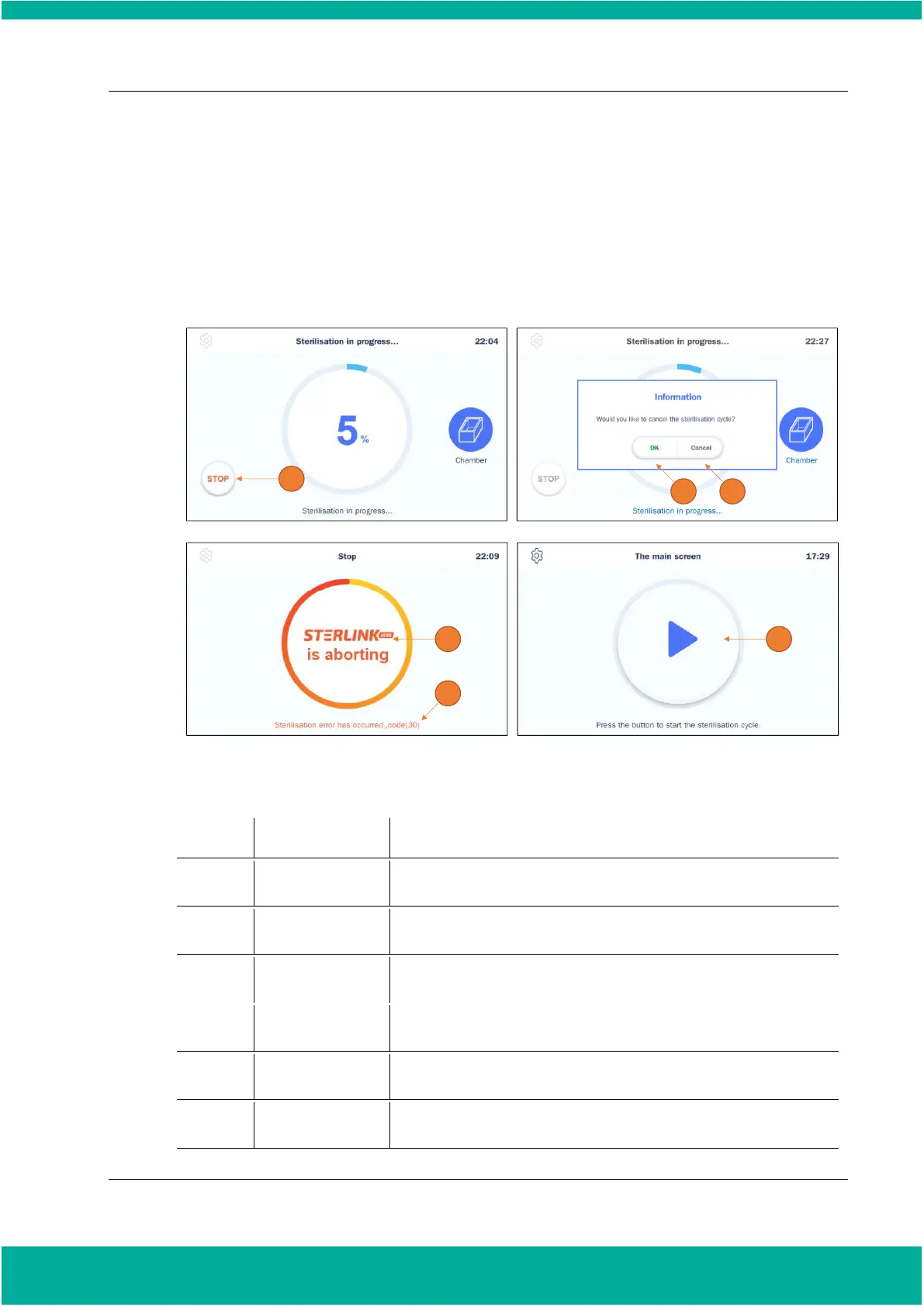
There may be occasions when the user needs to cancel a cycle before it is completed. Touch the
“STOP” button, and the screen displays a confirmation message. It is noteworthy that
cancellation process cannot be stopped or cancelled when the user confirms the cycle
cancellation.
Fig. 5.5 Screen for cancellation of sterilization cycle
This icon is for cancelling the cycle.
This icon is for confirming the cancellation.
This icon is for withdrawing the cancellation.
This section displays for removing residual sterilant when the user
cancels the cycle.
This section emphasizes that the user should not handle it during the
stopping process.
When the sterilization cycle cancellation is complete, the screen
returns to the ready state.


 To Next Page