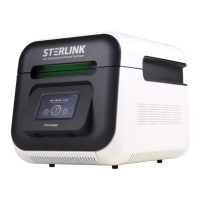
STERLINK mini User Manual
Note:
▪ When a user attempt to clean the chamber, door, or interior surface, the user must wear gloves
and follow the guidelines.
▪ Failure to follow the guidelines may result in damage to the sterilizer and may void the
warranty.
WARNING! STERILIZATION SURFACES.
At the end of a cycle, the interior of the sterilizer may be hot. Do not touch the inside of the
chamber or door with your bare or gloved hands. Allow the sterilizer to cool before touching
interior surfaces.
WARNING! WATCH OUT FOR HAND INJURIES.
The door of the sterilizer is designed to be opened and closed manually, which may cause
injury to your hands. Be careful not to hurt your hands when opening and closing the door.
CAUTION! POSSIBLE DAMAGE ON THE STERILIZATION.
Do not use a steel brush (wire brush), steel foam (steel wool), or compounds and d
etergents containing chloride. These may damage the sterilizer. Remove all detergent,
fabric or thread left in the chamber after cleaning.
WARNING! HYDROGEN PEROXIDE MAY BE PRESENT.
Wear latex, PVC (vinyl), or nitrile gloves whenever handling a load after a cycle ca
ncellation or error occurrence. Hydrogen peroxide liquid may be present on the load
or in the chamber.
8.1.2. Replacing the label-printer paper
If the label printer roll is empty, replace the roll manually as follows:
1. While holding the body of the printer, press and open the front cover.
2. Press both sides of the middle cover to open it, revealing the label-printer roll.
3. Remove by pulling out the roll.
4. Insert new label-printer roll and close the middle cover and front cover.


 To Next Page