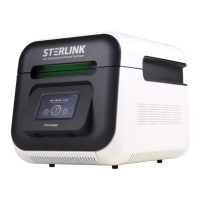
Chapter 8. Maintenance
The STERLINK mini is a top-class sterilizer for optimal sterilization cycles. The sterilizer can be
damaged with continued use, so proper maintenance is required to ensure reliable sterilization cycles,
including user safety. This chapter describes the functions and types of parts required to maintain the
STERLINK plus sterilization system.
8.1. Manual maintenance
The following maintenance procedures are performed by the user, when needed:
▪ Cleaning the exterior/interior of the sterilizer
▪ Replacing printer paper
▪ Regular maintenance of the sterilizer
Note:
▪ Repairs and adjustments should only be attempted by experienced technicians who are fully trained
to maintain and repair the STERLINK mini sterilizer.
▪ Use of unauthorized parts for maintenance or repair could personal injury, result in costly damage,
or sterilizer malfunction and voiding of the warranty.
8.1.1. Cleaning the exterior/interior of the sterilizer
The sterilizer exterior can be cleaned with a soft cloth and a mild, nonabrasive detergent solution if
necessary. When cleaning the sterilizer exterior, follow the guidelines:
1. Turn off the power to the sterilizer before cleaning the exterior.
2. Never allow cleaning solution or water to enter the interior or chamber. Moisten a cloth with
nonabrasive detergent solution and use the damp cloth to clean the surfaces.
3. Do not spray cleaning solution directly on the touch screen. Use a dampened cloth to clean the
screen.
The sterilizer interior chamber can be cleaned with a soft cloth or damp soft cloth with no running
water. When cleaning the sterilizer interior chamber, follow the guidelines.
1. Turn off the power of the sterilizer before cleaning the interior chamber.
2. Wait until the interior chamber has cooled down.
3. Never allow cleaning solution or water to enter the interior or chamber. Use only dry or damp
cloth to gently clean the surface of the interior chamber.
4. Wait until the interior chamber is completely dry before staring the sterilizer


 To Next Page