17
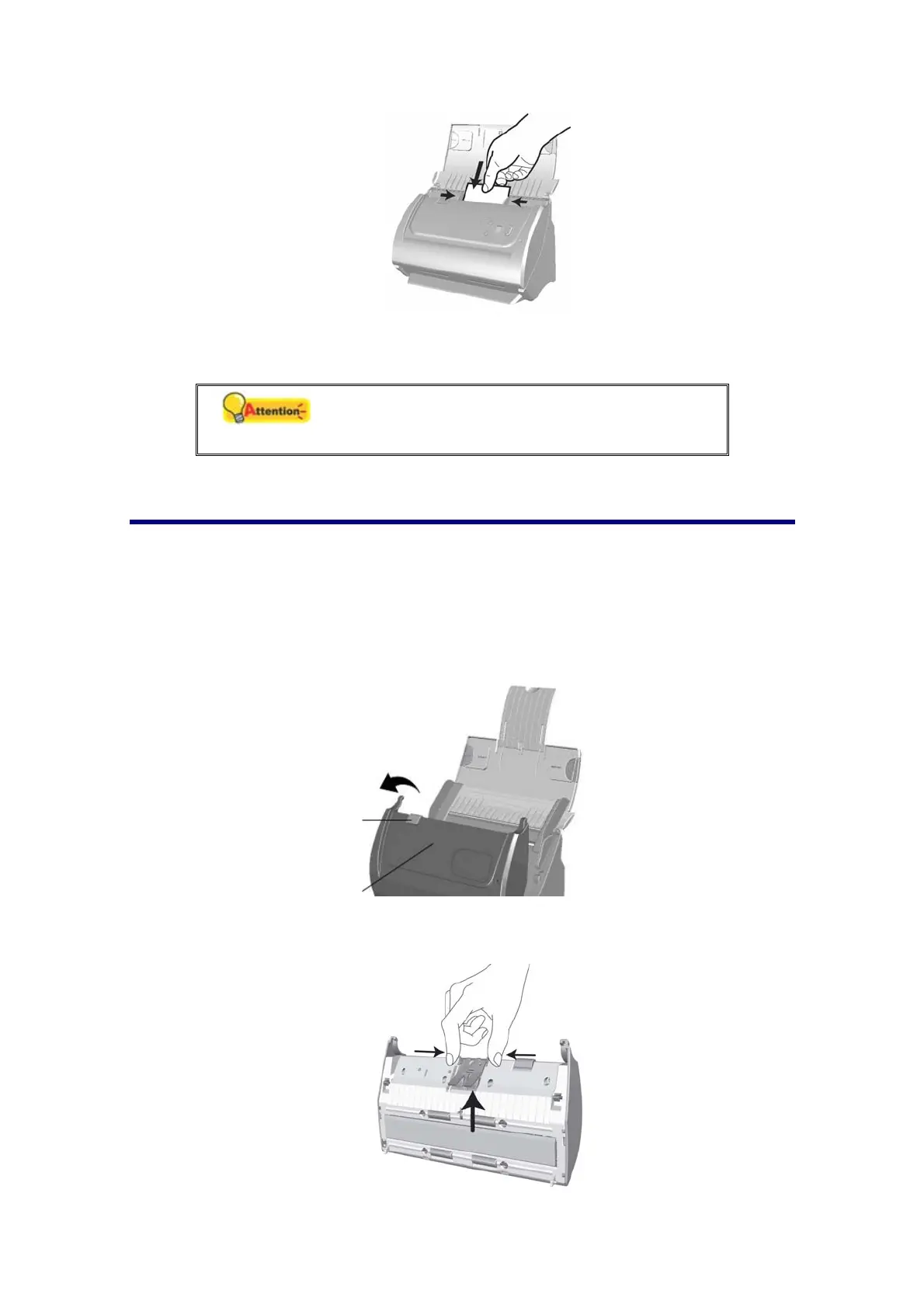
2. Adjust the paper width slider to the business card width. The paper width slider
should be gently touching both sides of the business cards.
Attention
Don’t load more than 20 business cards in one
batch.
PLACING PLASTIC CARDS
The plastic card can be embossed credit card, driver license, ID card, insurance
card, medic-care card or any membership card. Make sure to load the embossed face
of the embossed card face up into the scanner.
If the scanned images are not good
enough, please remove the pad module before you load the plastic card.
1. Open the ADF cover by pulling the cover open lever.
2. Remove the pad module by pinching both sides of the pad module and pull it
out.
Cover open leve
DF cove











 To Next Page