10
2.2.3 Loading the Ribbon
• Please make sure the ribbon you are using has the ink side out.
• When using a ribbon roll with a width less than 110 mm, please place the ribbon roll in the
middle of the Ribbon Spindle corresponding to the symmetry symbol (→|←).
• No need to load the ribbon when printing direct thermal media.
To install the ribbon:
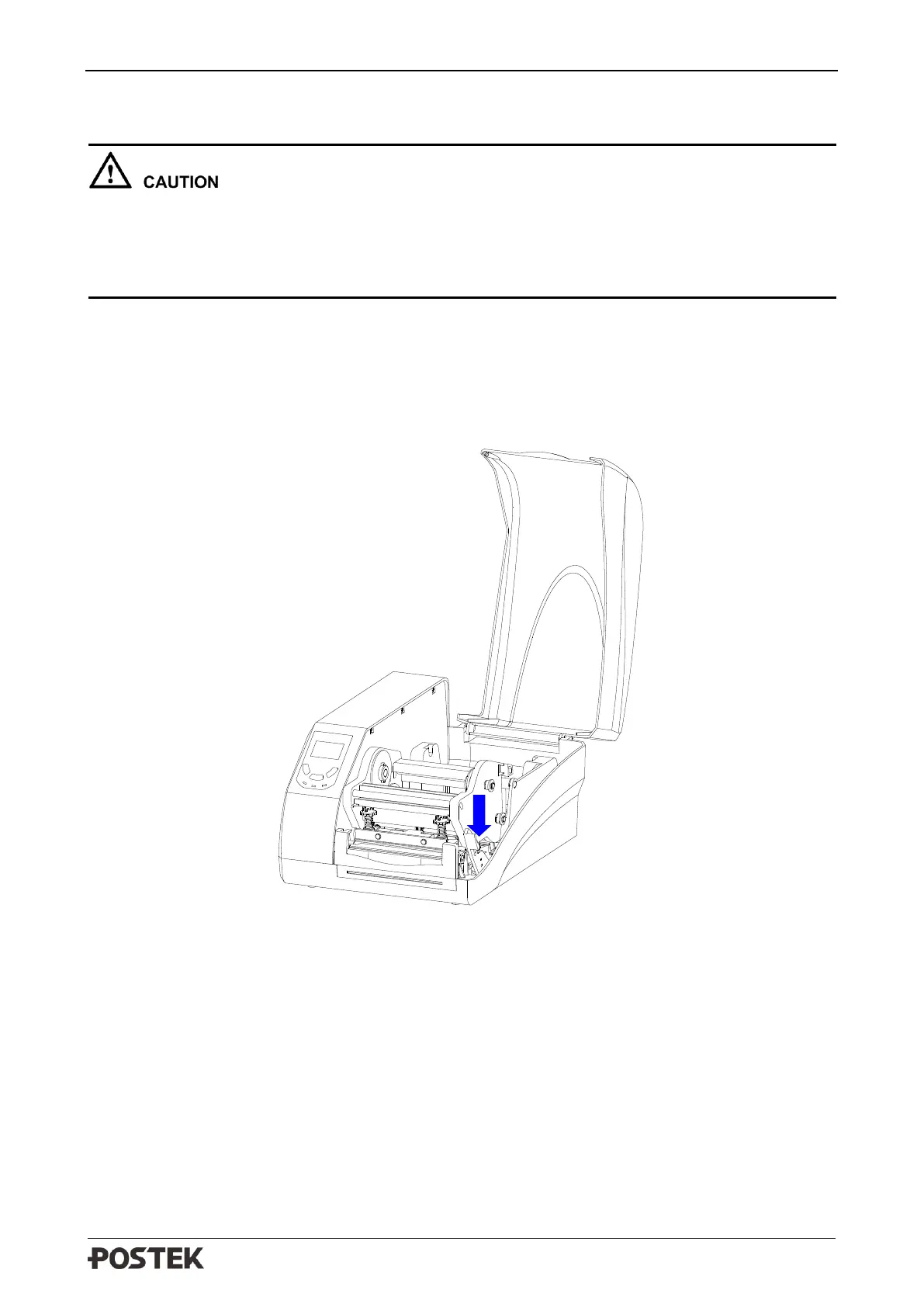
1. Lift the right cover and push down the Printhead Release Lever to release the Printhead Module,
see Figure 2-4.
Figure 2-4 Release the Printhead Module
2. Lift the Printhead Module to expose the Ribbon Supply compartment, see Figure 2-5.



 To Next Page