32
3.2 Adjusting the Printhead Pressure
A qualified technician is required to adjust the printhead pressure. Printhead damage or poor
printout quality may occur if the procedure is not done correctly.
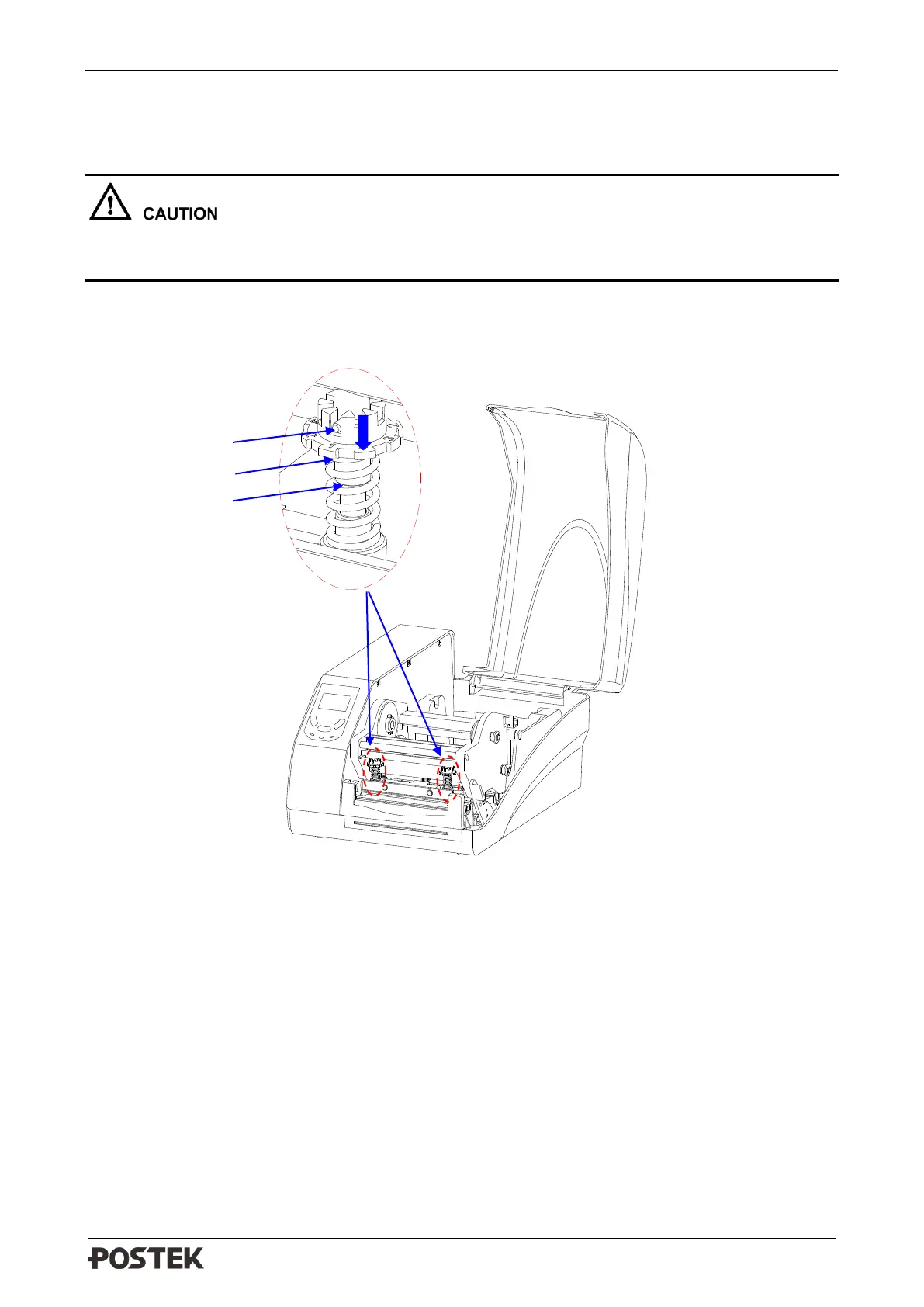
The printhead pressure module contains two spring assemblies, respectively controlling the pressure
of the printhead on both sides, as shown in Figure 3-3.
Figure 3-3 Printhead Pressure Adjustment
Follow the steps below to adjust the printhead pressure:
1. Press down the Adjusting Knob, and twist the Adjusting Knob to align the numbered pressure
level with the Adjusting Bolt to apply different level of pressure (The bigger the number, the
more pressure the spring assembly brings to the printhead).
2. Repeat step 1 on another spring assembly to complete the adjustment of the printhead pressure.



 To Next Page