17
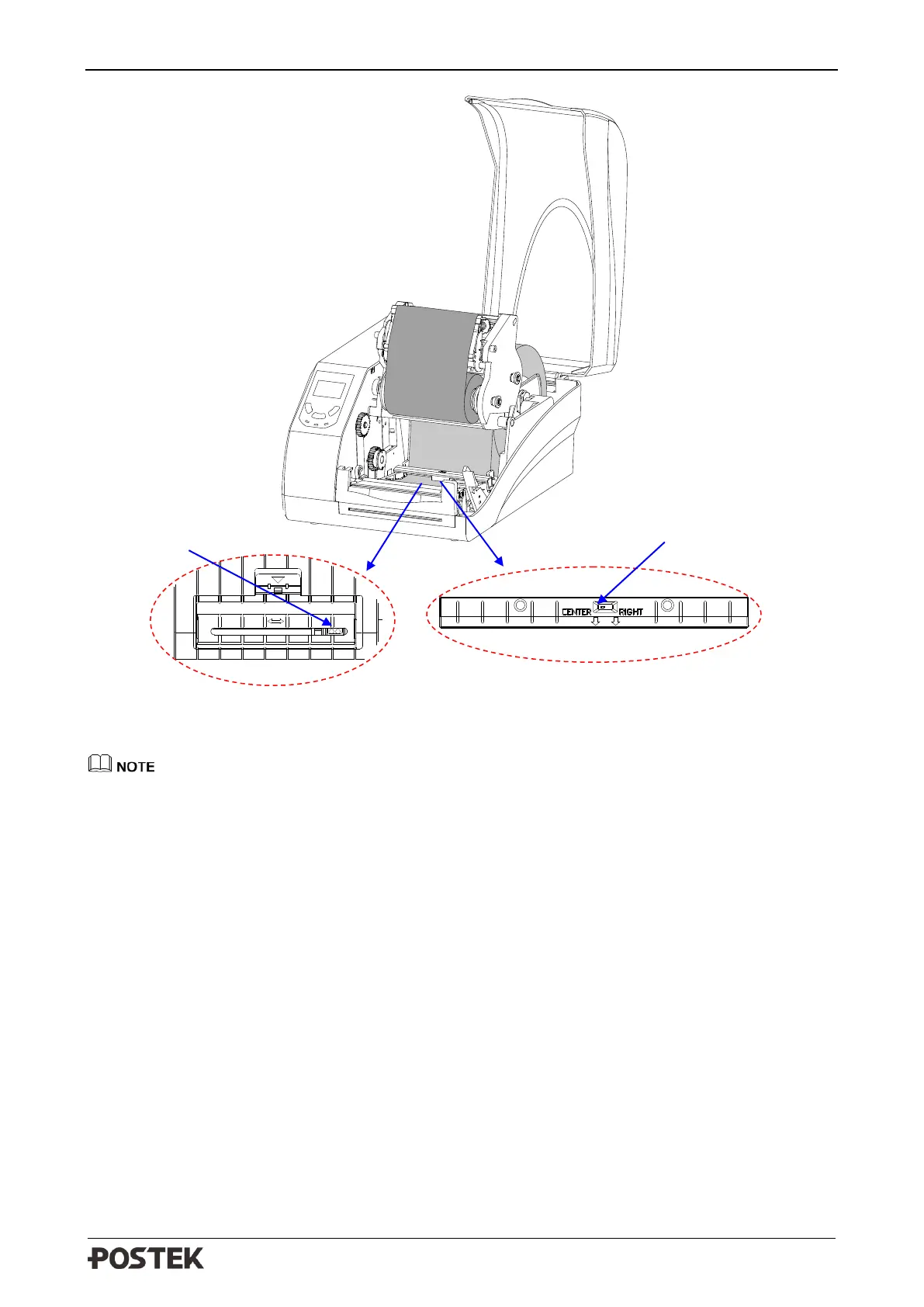
Figure 2-14 Adjust the Media Sensor Position
• Black ribbon is required when use Reflective Sensor, or the Media Out signal may not be
detected.
• Technically, the Transmissive Sensor is designed to detect a gap, hole or notch between labels,
the Reflective Sensor is for detecting black marks. However, in many cases, the Reflective
Sensor also can be used to detect gap, hole or notch. When choose Reflective Sensor to detect
gap between labels, please refer to Figure 2-15(a) (b) (c) to adjust the position of the sensor for
different media types as shown, the sensor shall be placed between the dotted lines.



 To Next Page