12.5. Touch-Graphic Display
The Touch-Graphic Display provides a much more intuitive data presentation, an easy navigation
through the control parameters and allows saving thousands of customized configurations defined by
the user. Some of the outstanding characteristics of the graphic display are:
TFT-LCD Touch screen of 3,5 inches and 240x320 pixels
Customized visualization by the user
GSM and GPRS communication (SMS Service)
System help built-in
Fault Register (Logs)
Language selection
4 Gbytes Micro SD for data history storage.
Built in Quad band GSM Modem for sending SMS with Consultations or Notifications (Events,
Alarms...)
Dual Ethernet Connection –LAN RJ45 and USB connection.
Possibility of external or battery 5Vdc power supply.
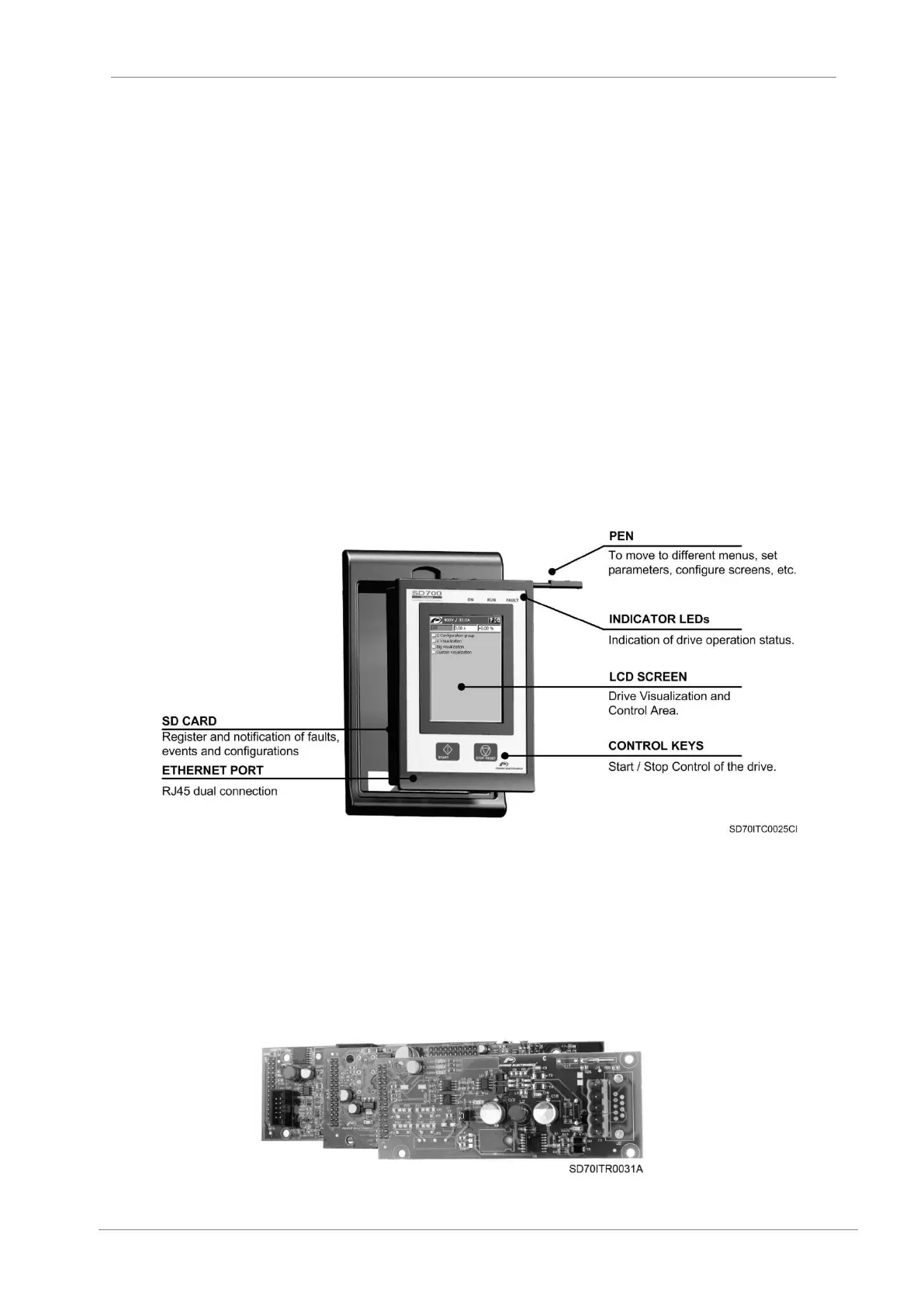
The Touch-Graphic display for the SD700 is a removable display unit for its remote installation, as the
following figure shows:
Figure 12.5 Touch-Graphic Display Unit
There are three indicator leds integrated on the display that supply information about the drive
operational status. In addition, there are a LCD screen of 3.5” and two control keys to Start / Stop the
drive.
12.6. Communication boards
SD700 family is compatible with the most commonly used communication protocols (Profibus-DP,
DeviceNet, Modbus TCP, Ethernet IP, N2 Metasys, CAN Open…), thanks to its optional boards.
Figure 12.6 Example of Profibus optional board



 To Next Page
 Loading...

