Page 31 of 80 Instruction Manual for AURORA CDD BCG.00613_AA
Part 3 Mounting and Configuration
ENTER
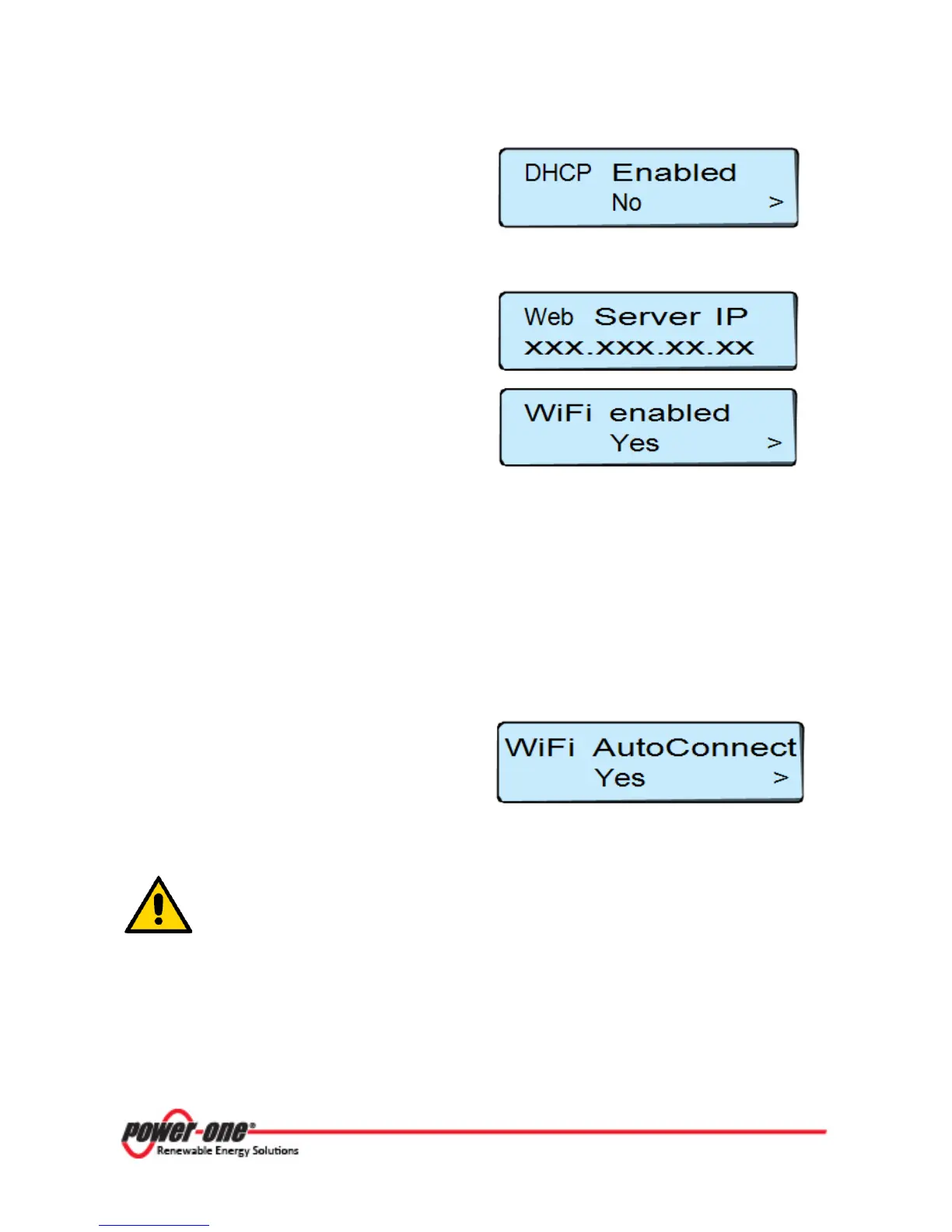
, and choose whether or not to
enable the DHCP function (Yes / No) and
ENTER
If the DHCP function is OFF, it is necessary to set up the static IP network address of the CDD to
access the local Web Server.
The set-up is done by accessing the submenu
Web Server IP
(contained in the section
Network).
Step 3
- Set up the WiFi again following the
steps set out in Step 1 and selecting WiFi
3.4.3 AUTOCONNECTION CONFIGURATION
The CDD automatically memorizes the parameters of the last connection made (SSID and network
key). Therefore, if the automatic connection function is running, the CDD will automatically connect
to the WiFi network.
To activate/deactivate the automatic connection function, press ESC to access the previous level of
the menu and select the item Autoconnection using the UP and DOWN buttons.
Press ENTER and then UP and DOWN to
activate or deactivate the function.
ENTER
to confirm the selection and
ESC
The Autoconnect feature enables the CDD to automatically connect to the last
WiFi network that the CDD was connected to. If the last network that the CDD
was configured for is not available, the CDD will not connect to any network.
To configure the CDD for a new WiFi network, disable the Autoconnection
feature and reboot the CDD. This will enable the CDD to search for available









 To Next Page