Installation
24
Powerware
®
9125 User’s Guide (2500–3000 VA) : Rev B www.powerware.com
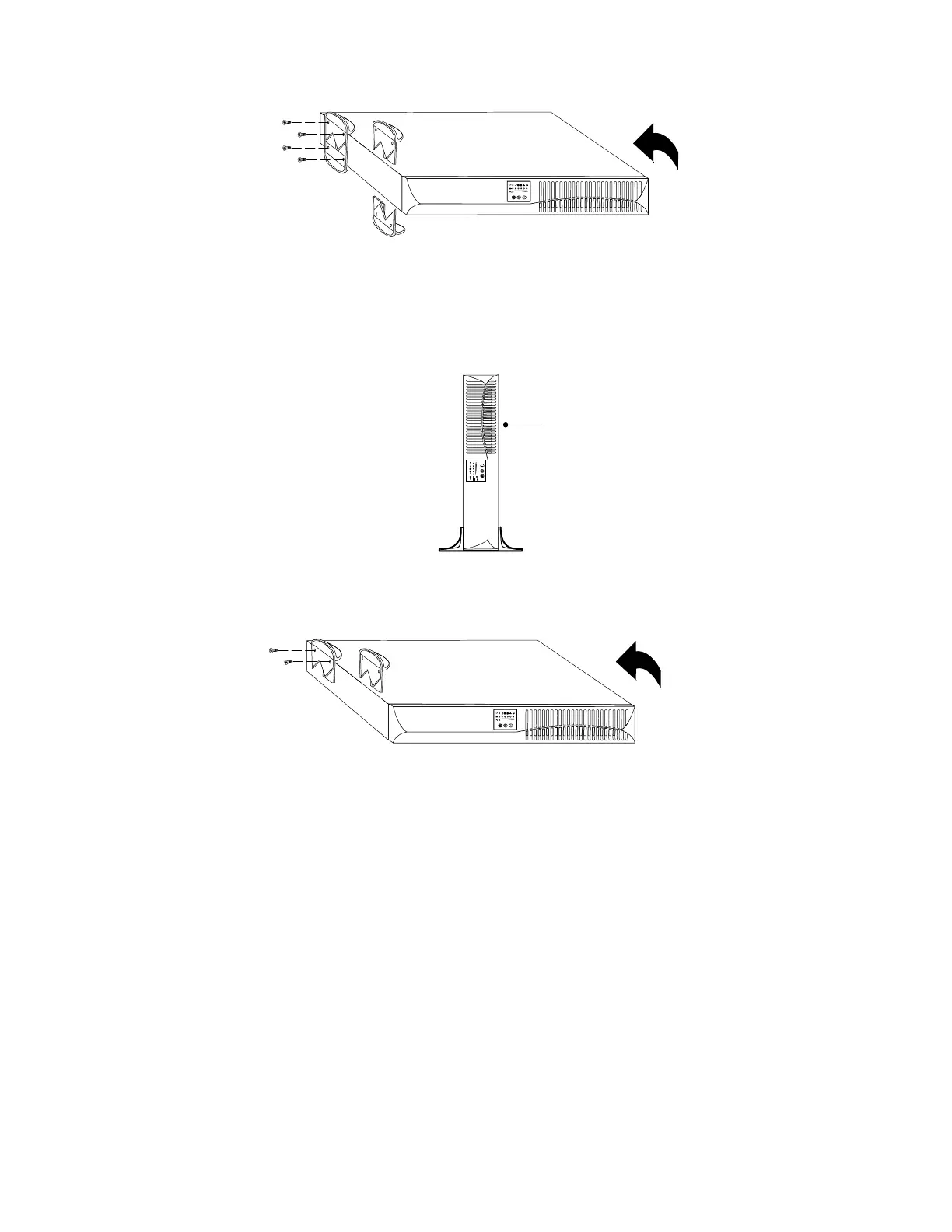
Figure 4. Installing Pedestals on a Single Cabinet
4. Carefully position the cabinet upright with the air vents at the
top (see Figure 5).
Continue to “Plug-Receptacle UPS Installation” on page 30 or
“Hardwired UPS Installation” on page 32.
Air Vents
Figure 5. Pedestals with One Cabinet
5. Place the UPS cabinet horizontally so that the left end of the
unit is accessible (see Figure 6).
Figure 6. Installing UPS Pedestals with Two Cabinets












 To Next Page