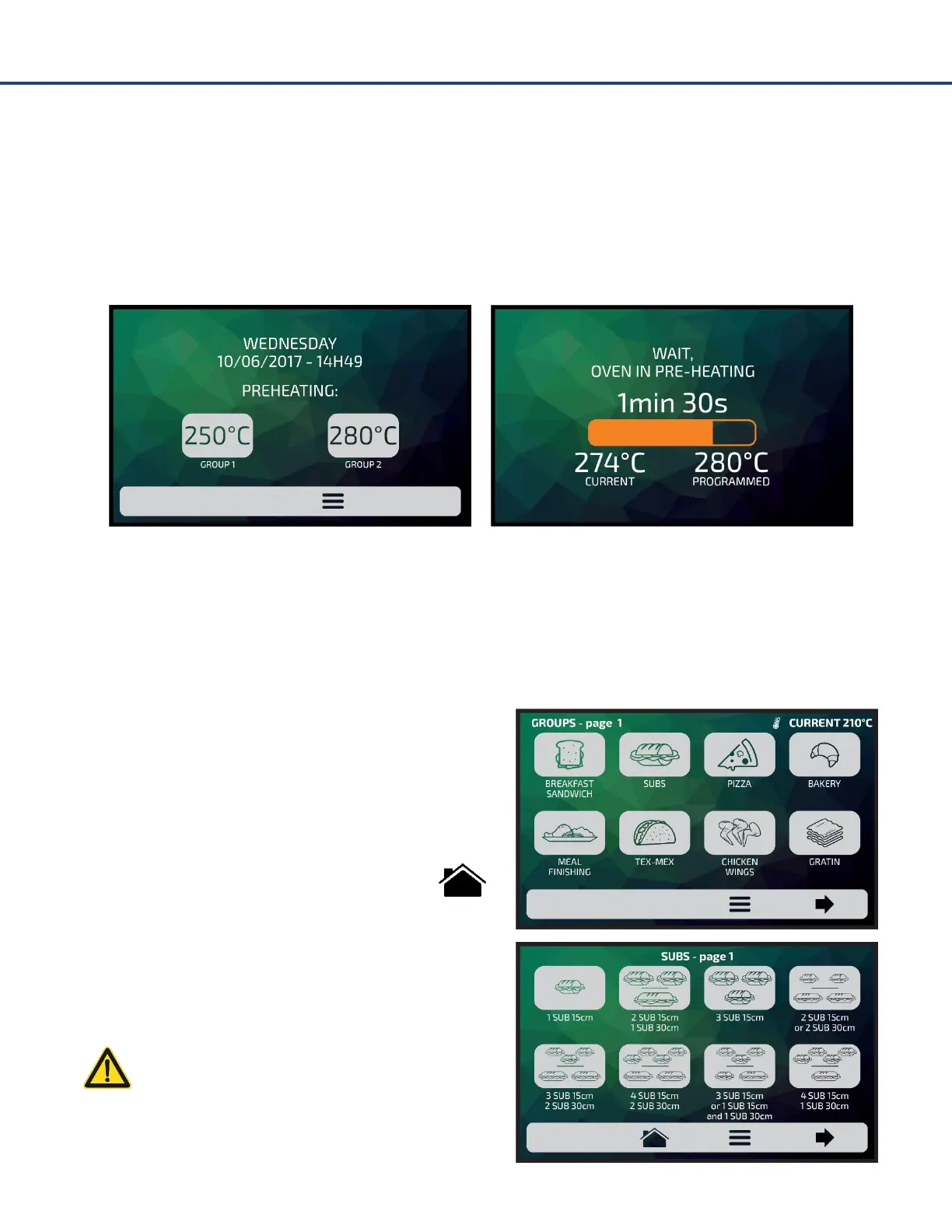
Preheating
To start the oven preheating process, after turning on the equipment, choose between Preheating
Group 1 or Preheating Group 2.
The following screen will present the CURRENT and PROGRAMMED temperature and the bar
indicating the remaining time to utilize the equipment.
NOTE: The time is only initiated when the CURRENT temperature is next to the PROGRAMMED; that
occurs so that the oven temperature enters in uniformity throughout the chamber.
Executing a Recipe
After the preheating, activate the desired GROUP. To
access the next group page, utilize the paging arrows.
The RECIPES of the selected group will be displayed,
press on the recipe you wish.
To return to the Groups screen, push the icon: .
To access the next recipes page, utilize the paging
arrows.
Make sure there is food inside the oven,
otherwise it will cause damages to the
equipment.



 To Next Page