Alerts and Errors: Possible Solutions
The Copa Express was Programmed to signal any
possible error and alerts that may occur during the
operation.
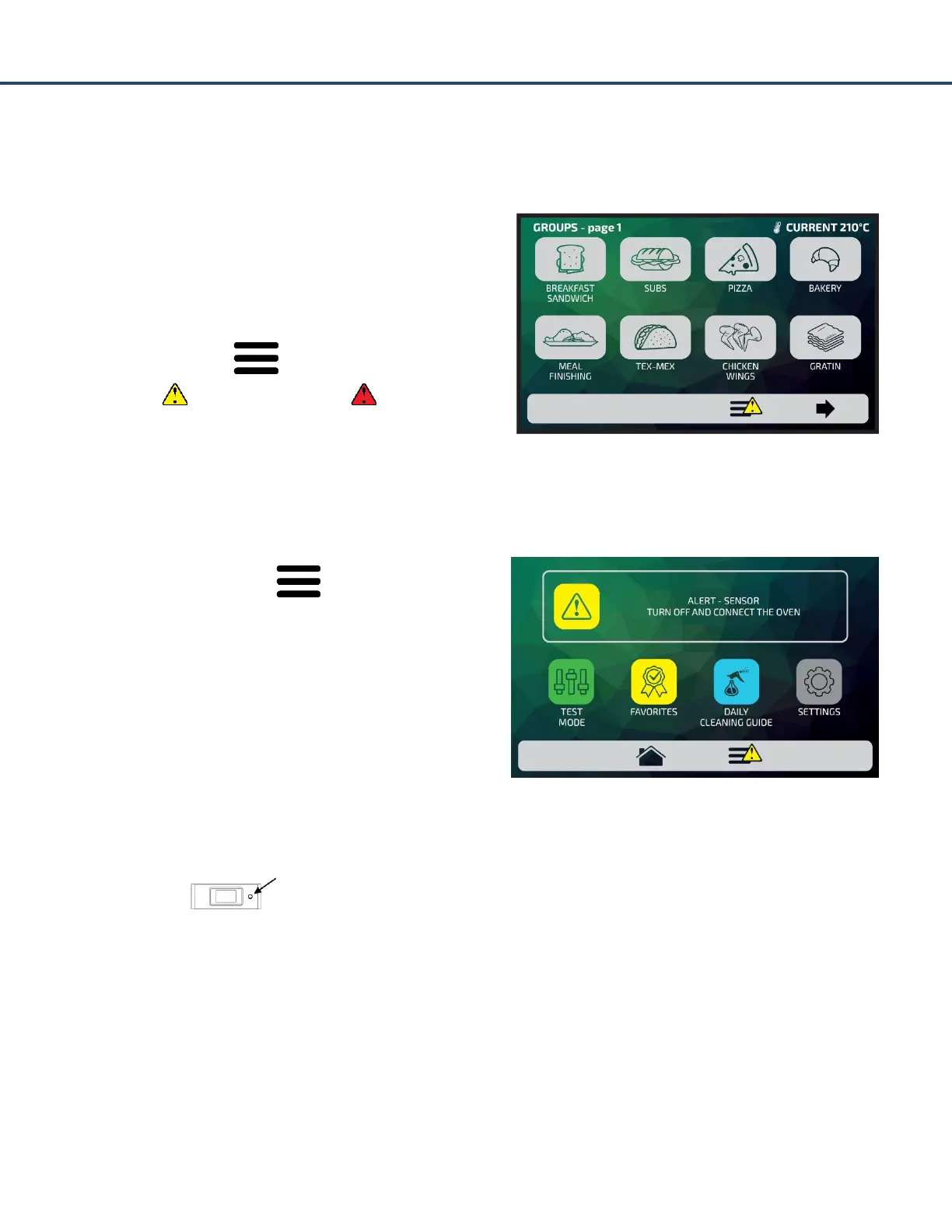
On the Option icon , a yellow signal will appear
for alerts ( ) and red for errors ( ).
Alerts
Click on the Options icon .
The Options screen will bring, instead of the Chamber
and Bottom Heater temperatures, a description of the
alert.
For example: ALERT - SENSOR - TURN OFF AND TURN
ON THE OVEN
Follow the orientation as described in the screen. In this case, turn off and turn on the oven using the
panel button:
When turning the oven back on, the screen that must be displayed is:
Just wait for the system to reset. After the reset, the oven returns to operate normally.



 To Next Page