85
To test the temperature sensors, follow the steps below.
1) Unplug the oven.
2) Remove both side and top panels from the unit.
3) Visually check for physical damage to the sensor or wires.
4) Remove both wires from the main control board and test for continuity.
• If continuity is present, move on to step 5.
• If no continuity is present, the sensor is open and needs to be replaced.
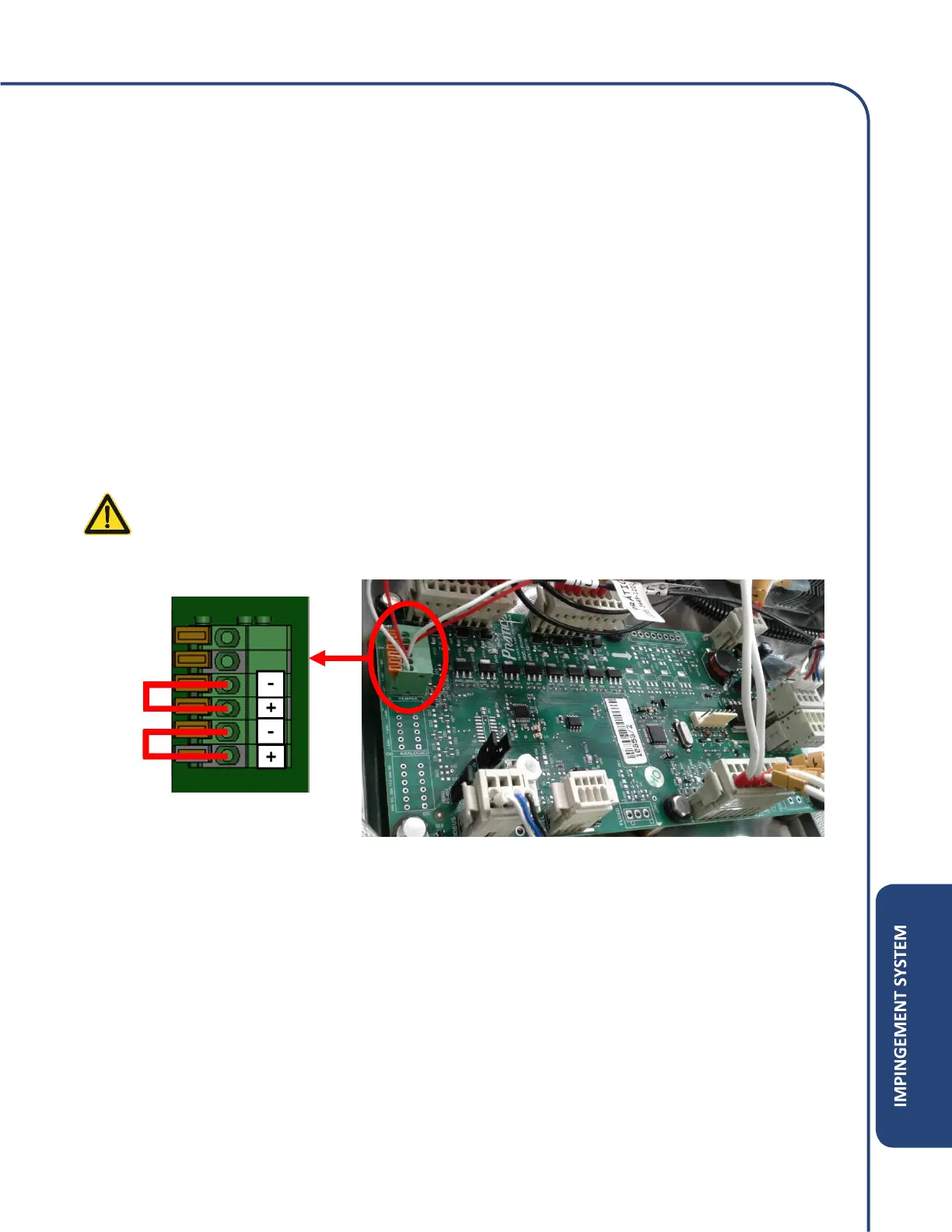
5) If continuity is present, a jumper wire can be placed on the control board terminals where the
temperature sensor wires were installed. Once the jumper wire is installed, the board should
register room temperature on the temperature sensor verification screen.
WARNING: Make sure to unplug the unit before installing jumper wire.
6) Once the jumper wire is installed, plug the unit back in and in the Options Screen, verify:
• If the sensor is reading the room temperature, then the board is registering correctly and
the sensor needs to be replaced.
• If the board registers any other reading besides room temperature, the Power Module
Board is faulty and needs to be replaced.



 To Next Page