User’s Manual | 42
4.1.2 User
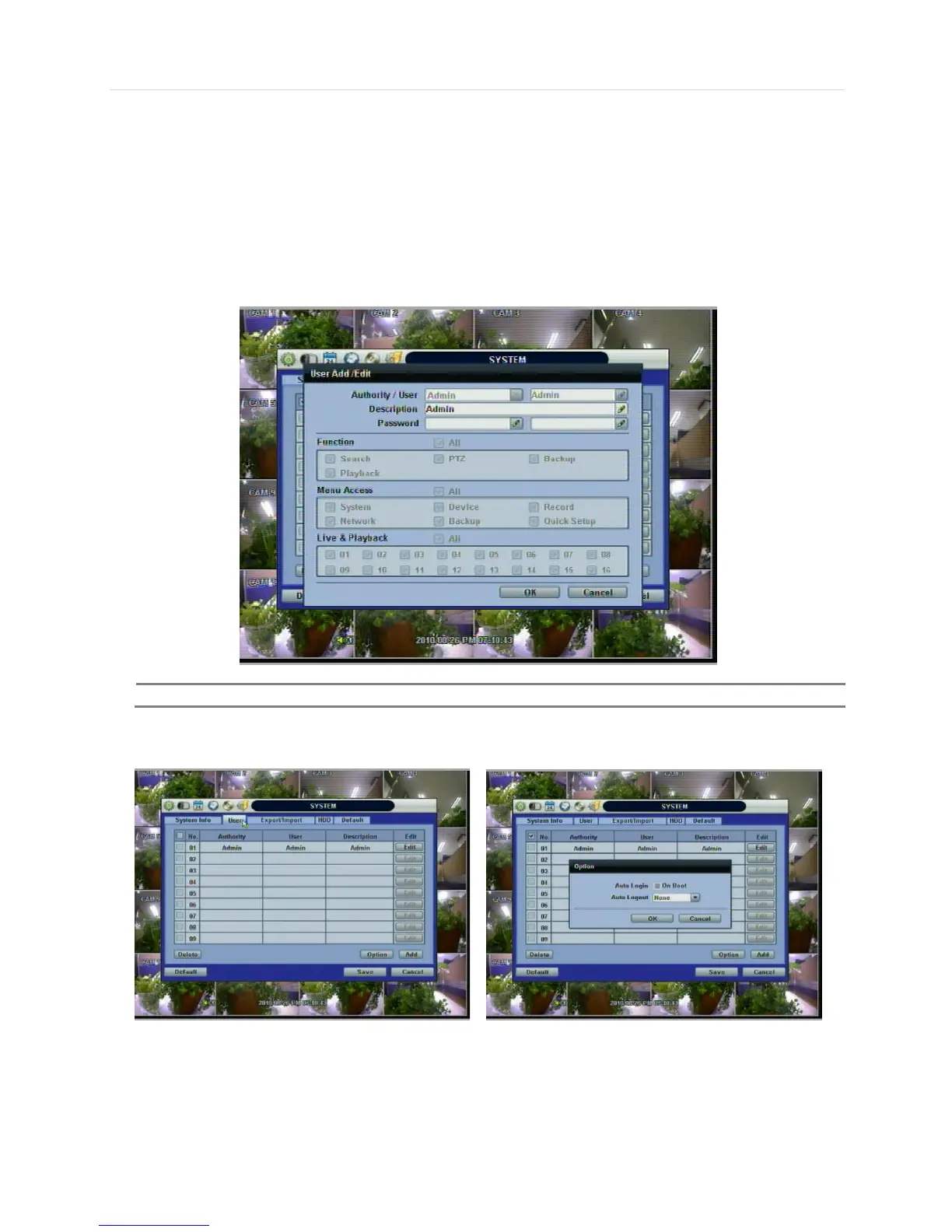
Master user of this system is always Admin with factory default of No password.
Admin must change the password of the DVR for extra security.
Admin can designate a new user with different permission levels by: functions, menu access, and live & playback.
“Function” is to restrict a user to control certain functions, like shutdown, search, PTZ control, backup and playback.
“Menu Access” is to restrict a user to access certain menu settings, like system, device, record, network, backup, and quick
setup. “Live & Playback” is to restrict a user to see both live display and a playback video for a certain camera channel.
User can change the setting, so the DVR does not require login or lock the DVR control.
If user selects “On Boot”, the DVR will not ask for an ID and Password input again even though the system reboots.
On the contrary, if user selects Auto Log-off and sets the time, the DVR will automatically go to the live display mode that
occurs after the set time. Then, the DVR will ask for an ID and Password input when user wants to control the DVR.



 To Next Page