43 | Chapter 1 : DVR User Manual
4.1.3 Export/Import
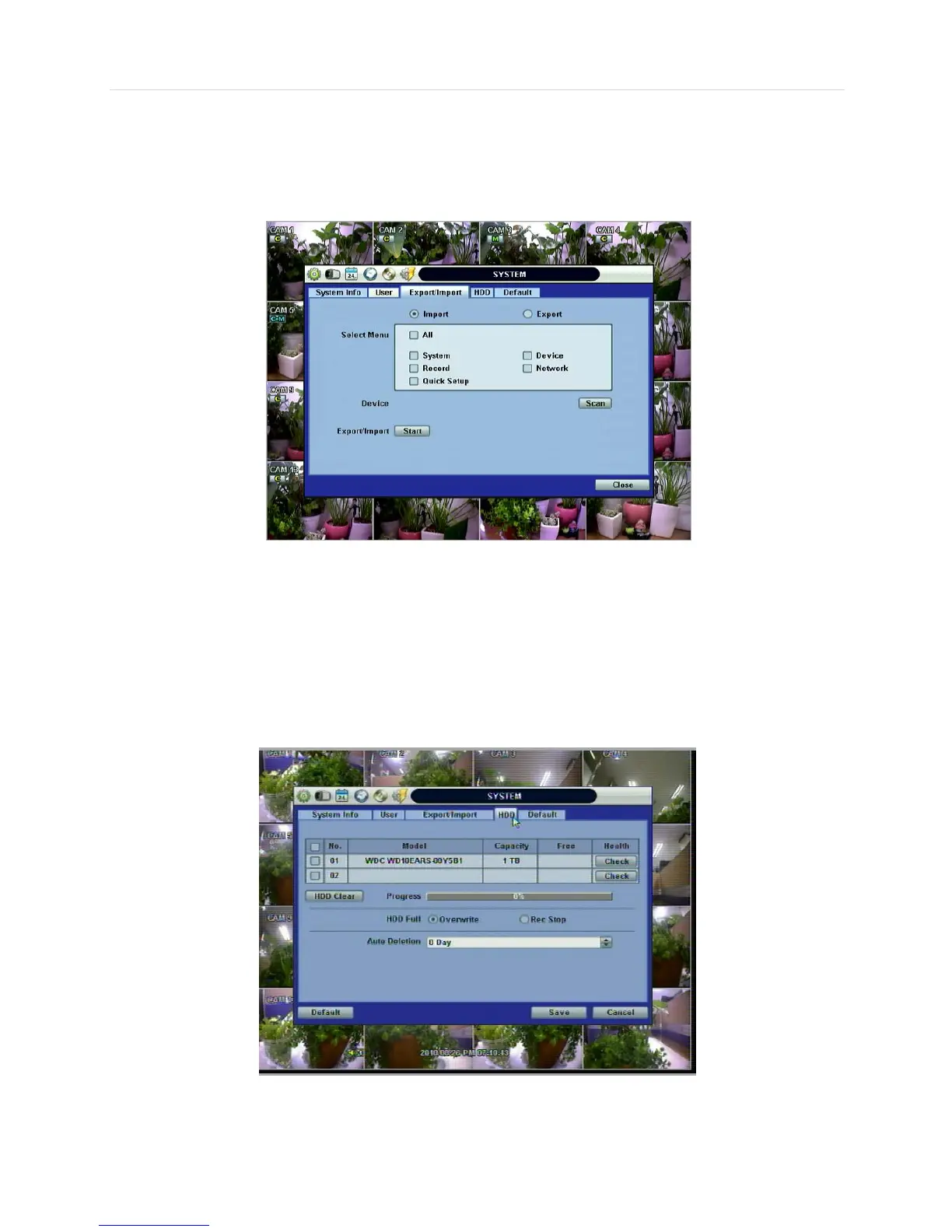
Users can copy and paste the system configuration values in this menu. “Export” allows the user to copy the settings for this
system to USB memory devices. “Import” allows the user to recall the settings saved from other systems using CD/DVD/USB
memory devices. During import process, make sure that the firmware version of source DVR is the same as the destination
DVR.
4.1.4 HDD
HDD information is displayed at the menu. (SATA HDD is used in this system.)
User can select “Overwrite” or “Rec Stop” when the HDD is full.
Users also can easily format a new HDD or an existing HDD for each drive. In order to format a HDD, check the checkbox and
then click “HDD Clear” button in the HDD menu.
The maximum number of built-in HDD units varies across DVR models.



 To Next Page