User’s Manual | 56
4.3.2 Schedule
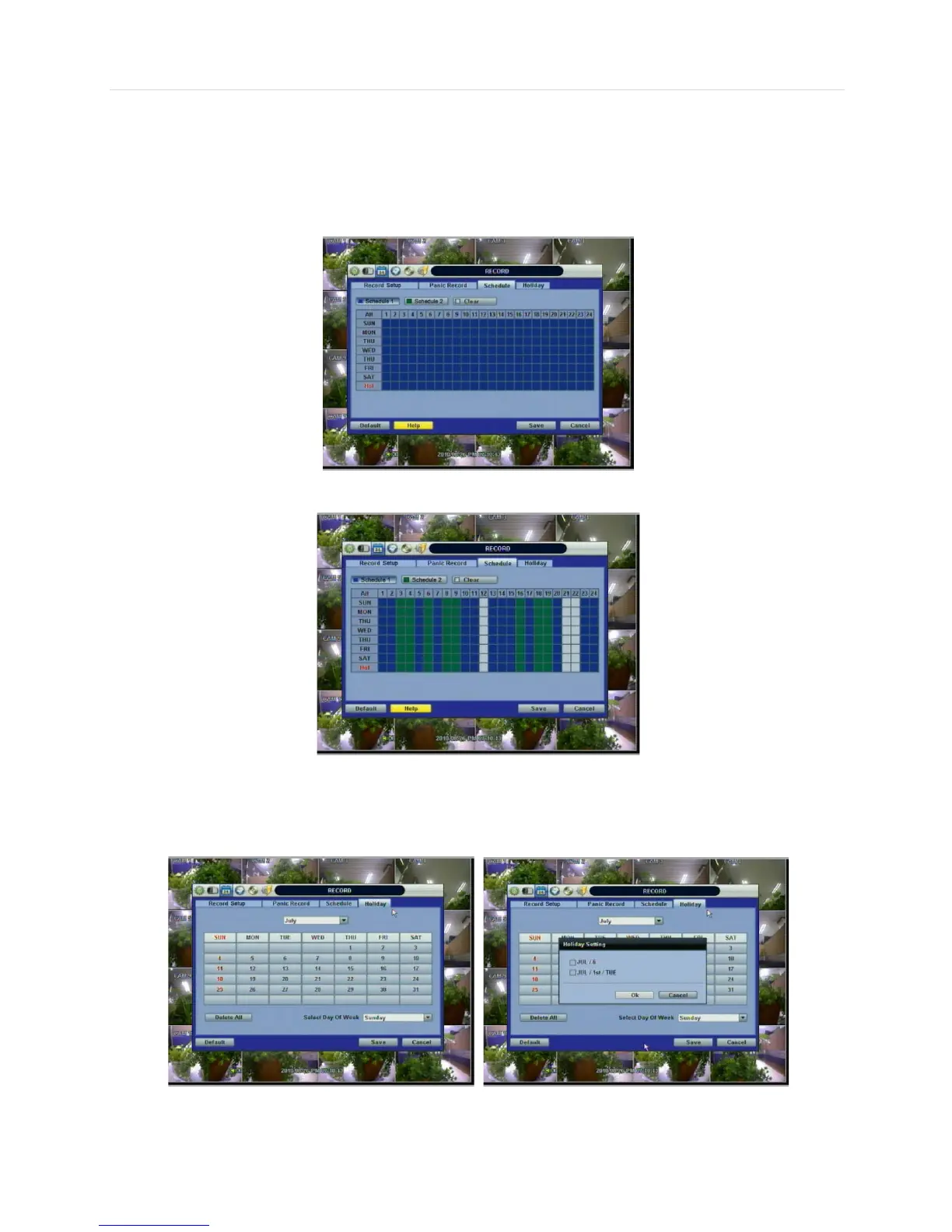
Set the recording schedule for each schedule.
First, select the schedule1 or schedule2 to assign a schedule for each Date/Time, or “All”.
Recording can be set by each hour from 1 through 24 a day.
If users want to make a simple schedule setting with a single schedule (Schedule1), users may apply the Schedule1 only to
“All” as shown below.
Use a combination of both Schedule1 and Schedule 2 to setup a more detailed record schedule as shown below.
4.3.3 Holiday
Users can setup a specific day of a month or day of week as a holiday as shown below. Once holiday is selected, the
recording setup for those holidays will be affected by the schedule setting in the schedule.



 To Next Page