55 | Chapter 1 : DVR User Manual
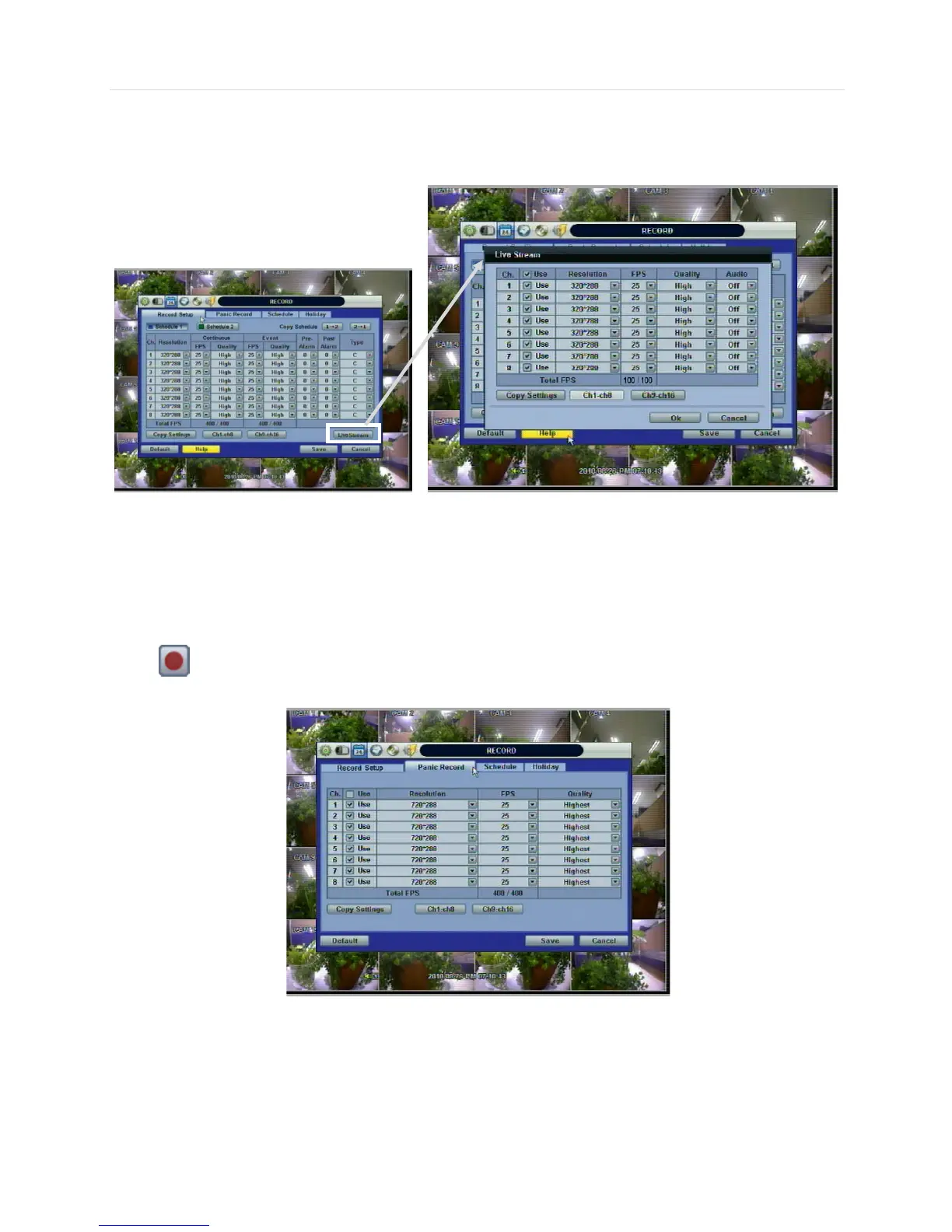
Users can also configure the Network Stream settings independently from the Record settings.
Click the “Live Streams” button. A popup window will now appear for the Live Stream as shown below.
The Live Stream menu enables users to optimize data transmitted over the network by configuring the Resolution, FPS, and
Quality without affecting the Record settings.
For example, users can configure CIF (352x240) resolution, 3~5 FPS with Normal quality for Live Stream(for Network) and
configure D1 (720x480), 30 FPS with Highest quality for record.
Users also have the option to configure Panic Record settings. The Panic Record setting is intended to be used under
emergency situations. You engage Panic recording by pressing the “Instant Record” button on the frontal keypad, or clicking
the icon from the control panel in live mode. It is highly recommended to use the maximum resolution, FPS, and
quality for this record type.



 To Next Page