User’s Manual | 54
Select the FPS (Frames Per Second) for each camera channel.
FPS means, “Frame per second”. The system automatically calculates “Remaining FPS” that users can use.
The setting value of “Quality” directly influences the byte size per image. For example, the byte size decreases as the quality
goes lower. At low quality settings, blocking (mosaic) phenomena tends to appear, which is in result of high compression. In
contrast, blocking phenomena disappears as quality goes higher. As quality increases, the required storage space per image
increases, which leads to the shortening of total available recording period. Therefore, consider the necessary recording
period, the importance of each camera image, and the quality of the analog signal when setting the recording quality.
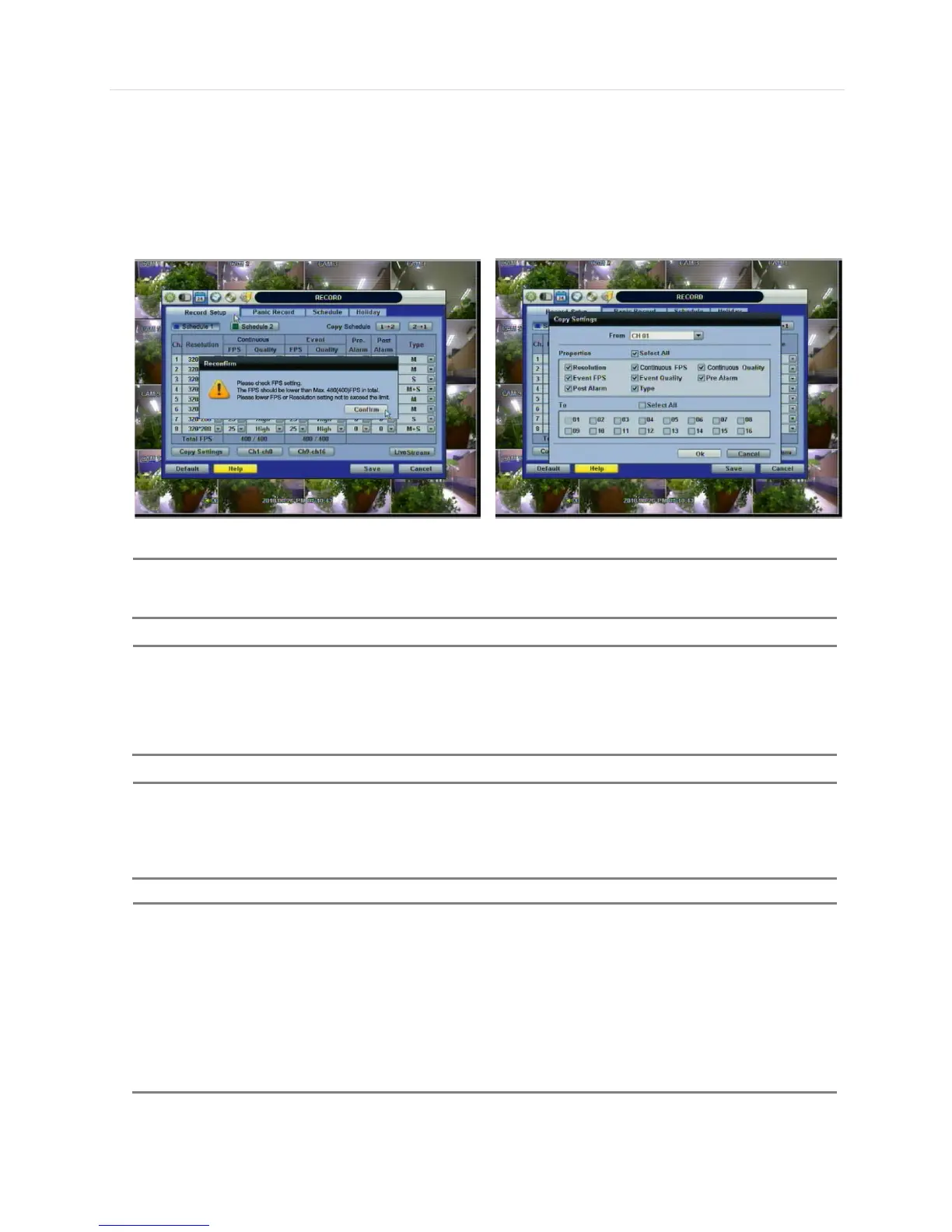
The maximum number of FPS is 480(400)FPS for the system. If the recording setting exceeds the limit
while users setup the Resolution and FPS, the popup message “Please Check FPS setting.” will show up.
Please refer to the remaining FPS and setup the resolution and FPS again.
Upon pressing Copy Settings button, Copy Settings popup will appear. In this popup, choose the camera
the user wants to copy from the “FROM” field. Choose the parameters, such as ON/OFF, RESOLUTION,
FPS, QUALITY, and AUDIO on the checkbox. Check on the checkbox with the camera numbers to apply
the copy setting(s) to another channel on the “To” box.
The storage capacity for the same image will be different. Image per byte is ratio to the image dimensions
(horizontal x vertical), thus 720×240/288(2CIF) is twice the size of 352×240/288(CIF), and
720×480/576(D1) takes about 4 times the storage capacity. Therefore, when high resolution is selected
for the same period, the storage capacity taken up will be larger, and the storage period will be shorter on
the same Hard disk capacity.
For the same resolution, frame per byte size will vary according to various reasons such as the recorded
picture quality setting, movement, complexity of the image, and noise. Therefore, the total recording
period will differ hugely according to the specific image conditions.
352×240/288 : Standard Quality Standard 1~5KB
720×240/288 : Standard Quality Standard 5~10KB
720×480/576 : Standard Quality Standard 10~20KB
“Quality” by 40(low), 60(standard), 80(high), and 100(highest) makes frame size different by around 30%



 To Next Page