Precision Filters, Inc. 28000 Signal Conditioning System Installation Instructions
Rev. B
28000 System Installation
Page 29
Cabinet
Mounting
Section
Stop
Tab
Mid-Support
Section
Chassis
Mounting
Section
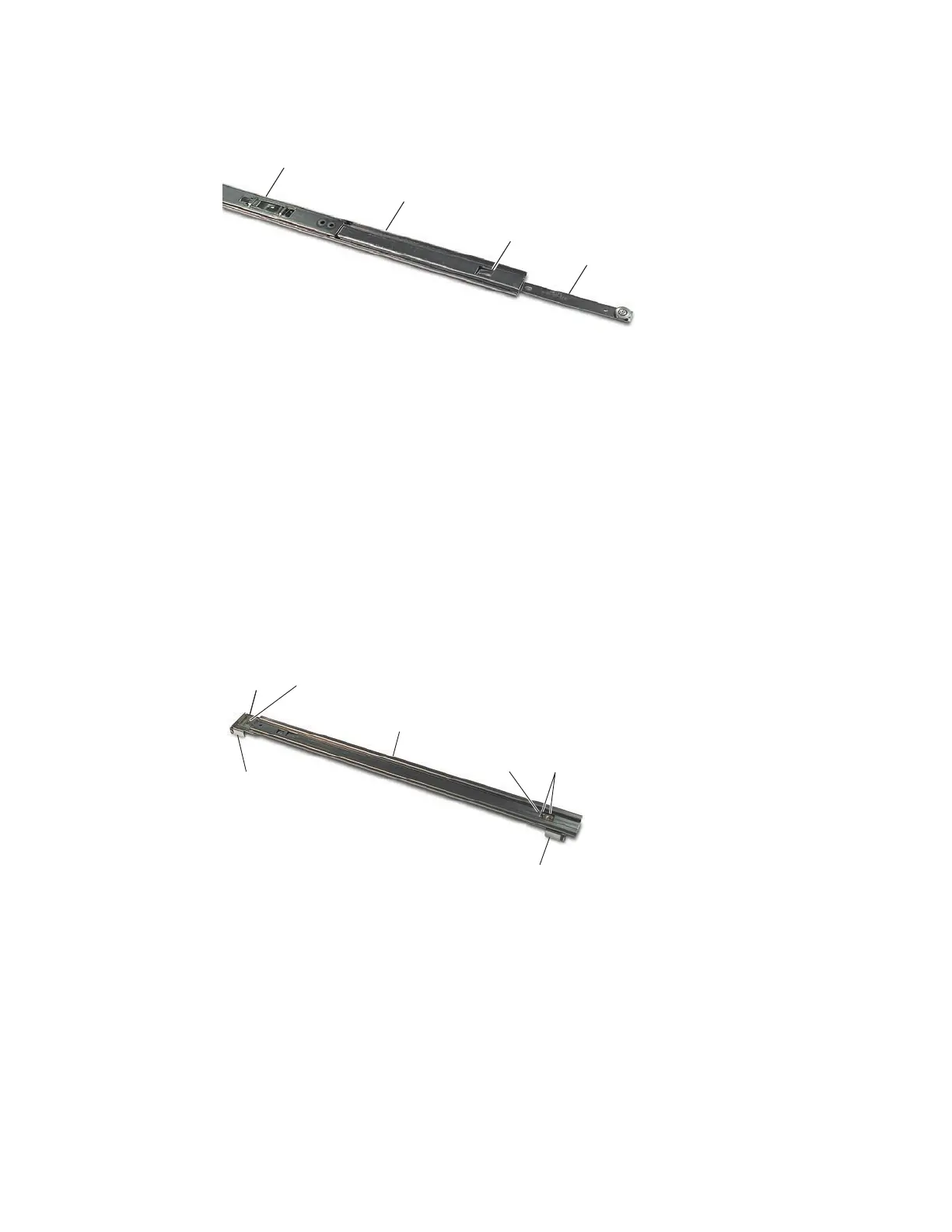
Figure 16 Separating Slide Mount Sections, Step 2
Assemble Cabinet Mounting Section
Two mounting brackets are attached to the chassis mounting section, each with two #8-32 at-
head screws, at washers, lock washers, and nuts.
Step 1
To attach the front-mounting bracket, locate the screw access opening in the mid-
support section and slide the chassis mount section back until the screw hole is
accessible. Figure 17 shows the locations of the mounting screws.
Align the mounting bracket and secure with hardware listed above with the at-
head screws rst going through the chassis mounting section and then through the
mounting bracket.
Screw
Access
Opening
Mounting
Bracket
Mounting
Bracket
Flat Head
Screws
Flat Head
Screws
Cabinet
Mounting
Section
Cabinet
Mounting
Section
Mid-support
Section
Figure 17 Locations of Mounting Screws
Step 2 To attach the rear-mounting bracket, slide the chassis mounting section back to
access rear mounting holes and secure in the same way as the front-mounting
bracket.
Step 3
Align the nut bar over the slots in holder and push down to snap one nut bar into the
each of the mounting holders. See Figure 18.



 To Next Page