28000 System Installation
Page 68
28000 Signal Conditioning Installation Instructions Precision Filters, Inc.
Rev. B
Power
Switch
Status
LED
Fault
LED
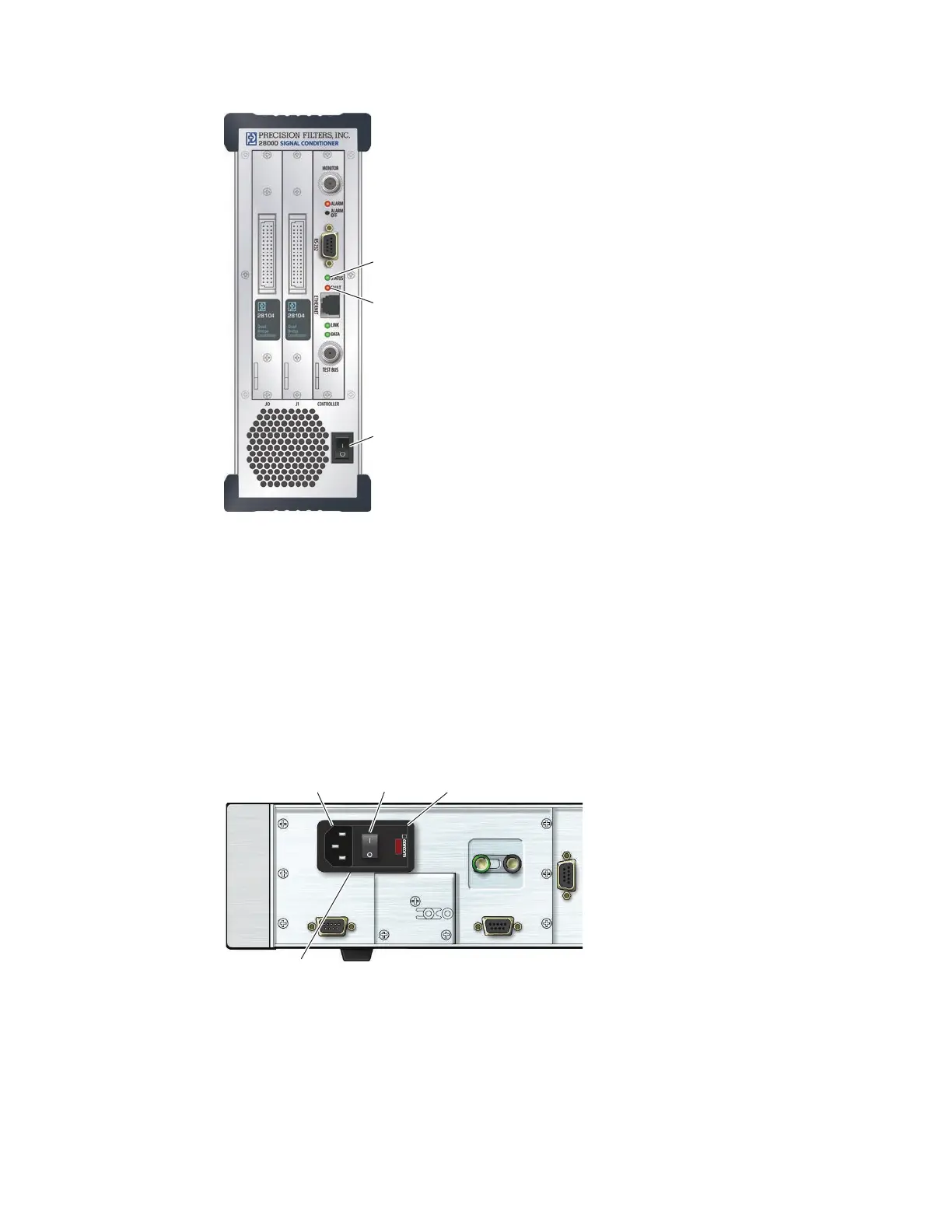
Figure 46 28002 Front-Panel Secondary Power Switch and Indicators
28004 System Power Switches and Indicators
The 28004 has a primary power switch on the rear panel (Figure 47) and a secondary power
switch on the front panel (Figure 48). When the rear-panel primary power switch is in the ON
position, the front-panel Standby LED is lit. The front-panel power switch applies power to the
system when the Standby LED is lit. When the front-panel power switch is in the ON position,
the Power LED indicator above the secondary power switch is lit.
J502
SIGNAL
GROUND
CHASSIS
GROUND
PRIMARY POWER
SWITCH/CONNECTOR
J500 J501
Primary Power
Switch
Power Entry
Module
AC Power
Connector
Fuse
Drawer
Figure 47 28004 Rear-Panel Primary Power Switch



 To Next Page