11
Owner’s Manual
OverviewHookupControlsConnecting
to a
Computer
TutorialsTechnical
Information
Trouble-
shooting
and Warranty
Scenes, Presets,
and System Menu
Software: Universal Control,
SL Remote, Capture,
and Studio One Artist
Quick Start 1
Quick Start:
Level
Setting
Quick Start 1
1.0 Quick Start
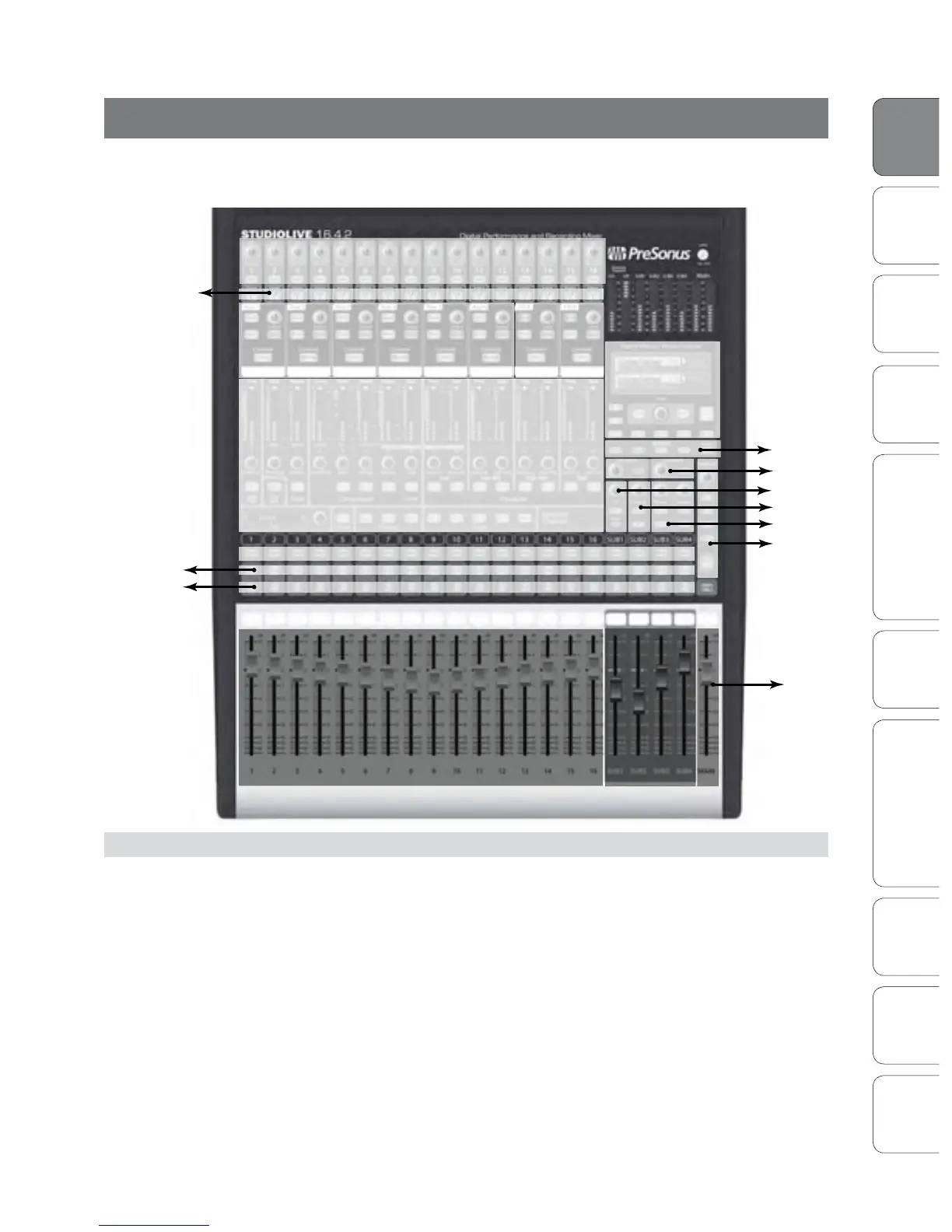
This is a map of the StudioLive 16.4.2. You’ll notice that each major section is
marked with a manual section number where you can nd more information:
1.1 Getting Started: IMPORTANT! - Level Setting
Before you begin, we recommend you follow a few general rules of thumb:
• Always turn the Main fader and the Monitor and Phones knobs in the Monitor section
down before making connections. Before plugging or unplugging a microphone
while other channels are active, mute the channel to which you are connecting.
• Your faders should be set on or near the “U” mark whenever possible. The “U”
indicates unity gain, meaning the signal is neither boosted nor attenuated. If the
main output of your StudioLive is too high or too low when your faders are at or
near unity, you can use the output-level knob on the rear panel of the StudioLive
to adjust the level up or down until you have achieved the optimal volume.
• Do not allow your inputs to clip. Watch the level meters; when the LEDs near
the Clip mark, the top LED will illuminate, indicating that the analog-to-digital
converters are in danger of being overdriven. Overdriving the converters
will cause digital distortion, which sounds terrible. The XMAX™ preamps
Trims and Phantom Power: For Level Setting see Sections 1.1 and 8.7
Menu Display:
* FX Menu: Section 4.8
* Scene Menu: Section 5.1
* System Menu: Section 5.4
Internal FX
Level and
Assignment:
Section 4.4.2
Fat Channel: Section 4.1
* Dynamics: Section 4.1
* Metering: Section 4.2
* Stereo Linking: Section 4.1.4
* Copying/Saving: Section 5.2
* Dynamics Processing Tutorial: Section 8.2
* EQ Tutorial: Section 8.3
Channel Faders: Section 4.3
Subgroups:
Section 4.5
Section 8.4
Select Buttons: Section 4.1.1
Solo:
*Sections 4.3.1 and 4.7.4
Mute:
*Section 4.3.1
Talkback:
*Section 4.7.2
Meter Modes:
*Sections 4.2.1 and 5.1
Aux Inputs:
*Section 4.7.1
Solo Bus:
*Sections 4.7.4 and 8.8
2 Track In:
*Section 4.7.3
Monitor Bus:
*Section 4.7.5
Main Output:
*Section 4.6
FireWire Returns:
*Section 4.3.1 and 6.4.2
Creating Aux and FX Mixes:
* Section 4.4
* Section 8.4
* Graphic EQ: Section 5.3
Level Setting 1.1











 To Next Page