Preparatory measures before (initial) start-up
DefiMonitor XD 21324 / GB / K05
Procedure:
Lay the device on its back and remove the power module
Open the SaveCard slot by sliding the cover towards the power module slot (3)
Push the SaveCard into the slot (1) provided. Press the SaveCard in carefully until
button (2) protrudes from the opening. To remove the SaveCard, press button (2) in
fully – the SaveCard now protrudes from the holder. The SaveCard can now be
removed.
Then close the cover.
Replace the power module in the device. The device now boots and performs a self-
test.
Wherever possible, the data saved on the SaveCard should be downloaded
and filed externally after each deployment. Once the storage capacity of the
SaveCard is exhausted, no further data will be saved. The device remains
ready for operation even if the memory is exhausted and even without a
SaveCard.
5.3 Power supply
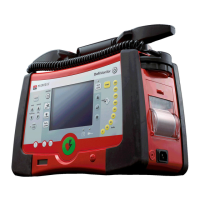
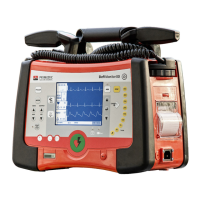
PRIMEDIC™ DefiMonitor XD has two possibilities of power supply:
• Rechargeable power module “PRIMEDIC™ AkuPak“
• with power cable plugged into the mains.
If you operate the PRIMEDIC™ DefiMonitor XD exclusively via power from the
mains, then you must ensure that the PRIMEDIC™ AkuPak is inserted in the power
module slot. Without this, the PRIMEDIC™ DefiMonitor XD is not operational.
Whenever the device has been used, check the power level. If
necessary, PRIMEDIC™ AkuPak should be recharged. If this is
not possible, make sure you always have a second, fully charged
PRIMEDIC™ AkuPak at hand.


 To Next Page