DefiMonitor XD 21324 / GB / K05
8.3 Removing hair growth from chest
Hair at the point of attachment of the electrodes increases the transition resistance and impairs
the adhesion of the electrodes. If the patient has a lot of hair growing where the electrodes
need to be positioned, you must remove it.
Use a razor to remove the hair from the electrode positions.
8.4 Drying the skin
In certain situations (e.g. after an acute myocardial infarction), it may be necessary to dry the
skin in the respective positions. A dry surface is essential for the adhesive electrodes to
adhere.
8.5 Placing the electrodes
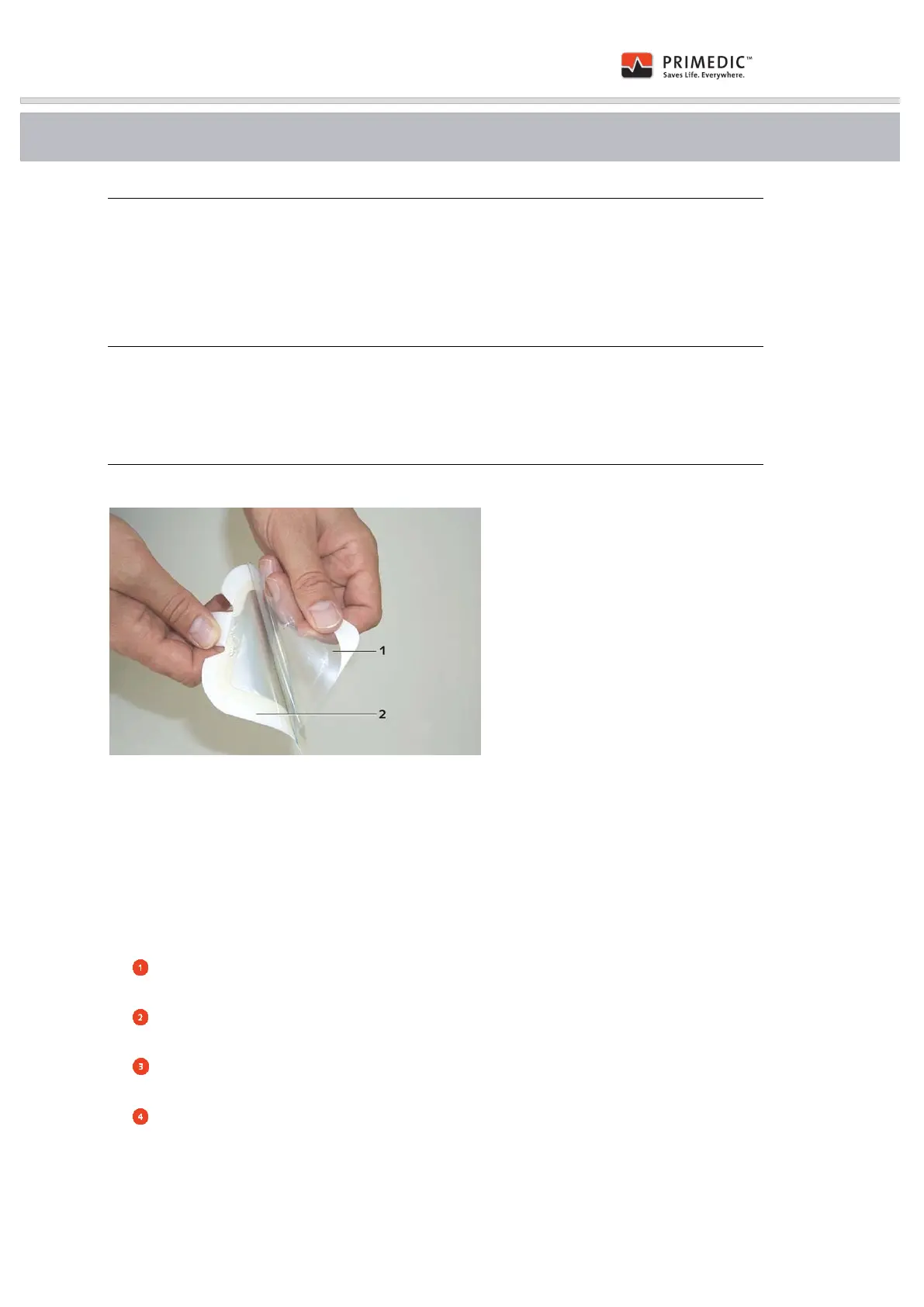
Fig. 26: Removing the protective film from the electrodes
(1) Protective film
(2) Electrode coated with electrolyte gel
In automatic mode, the PRIMEDIC™ DefiMonitor XD gives voice commands instructing you to
attach the defibrillation electrodes to the patient.
Please proceed as follows:
Open the SavePads packaging by tearing open the protective cover along the tear
strip.
First, remove the protective film (1) from one electrode (2) and them immediately place
the electrode on the position you had ascertained previously.
Proceed to remove the protective film from the second electrode and place it in its
position.
Smooth the electrodes onto the patient ensuring there are no air bubbles under the
electrodes!


 To Next Page