12 Operating the pacer
12.1 General information on operating the Pacer XD
The following operating sequence must be observed when using the PRIMEDIC™ Pacer XD:
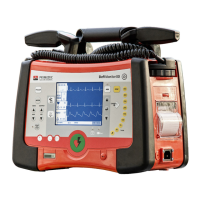
Switch the PRIMEDIC™ DefiMonitor XD on. The pacer can only be used in manual
mode. Set the mode accordingly.
Apply self-adhesive electrodes (SavePads Connect) on the patient.
Connect the self-adhesive electrodes to the SavePadsConnect cable using electrode
clips. See Chap. 8.2.3
Insert SavePads Connect cable in the PRIMEDIC™ DefiMonitor XD jack.
Activate the Pacer XD unit by briefly pressing the Pacer On / Off button
(At this point, Pacer XD is not yet emitting stimulation pulses).
Set parameters:
- Operating mode
- Stimulation rate
- Stimulation intensity
Activate Pacer by pressing the START/STOP button
The Pacer XD is switched off by pressing the Pacer On /Off button. At the same time, a
warning signal is sounded.
When the Pacer unit is switched on, "Pacemaker Init" may appear on the top left of the Pacer
display, together with a progress bar. This indicates that the Pacer is currently performing an
internal self-test routine. After a few seconds, the Pacer is ready for configuration.
If you try to activate the Pacer XD when the SavePads Connect cable is not yet
plugged into the socket on the Pacer, a warning signal is sounded and the message
"Check electrodes" appears on the screen (only on devices without SpO
2
module).
If the device detects a deviation of ± 30 % from the set intensity, it automatically
interrupts the pacing process. One possible cause is that patient resistance is too
high.


 To Next Page