Load Media
253
Load Media
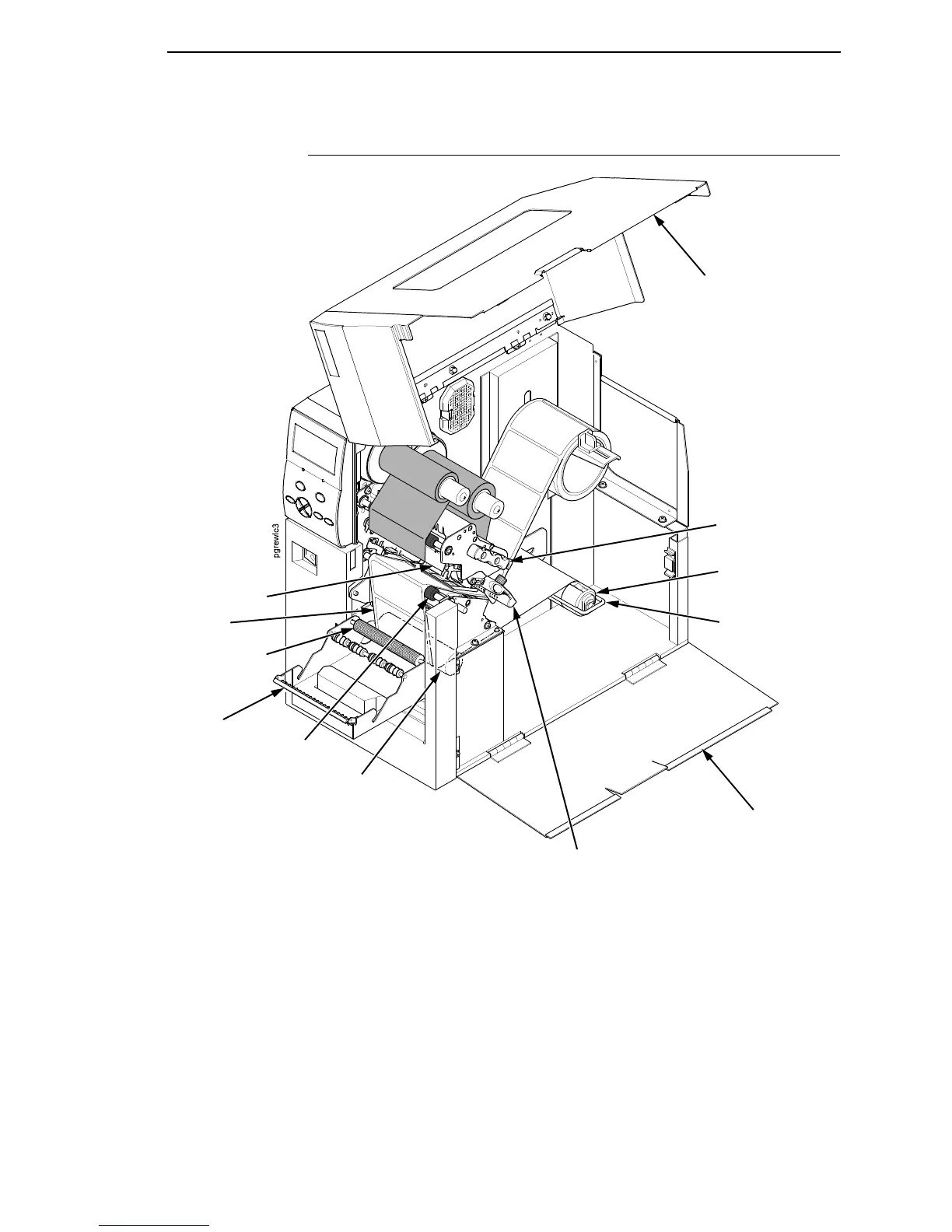
Figure 23. Loading Media on the Standard Peel with Liner Rewinder
1. Open the media cover.
2. Open the side cover and refer to the Label and Ribbon Routes label on
the inside of the side cover.
3. Open the pivoting deck by rotating the deck lock lever fully
counterclockwise.
4. Open the peel-off door by pulling it upward, then forward.
5. Remove approximately 18 to 24 inches of labels from the liner. This will
prevent the labels from sticking to the tear bar during the initial print feed.
Media Cover
Side Cover
Label
Knurled Roller
Rubber
Roller
Platen
Media
Rewinder Clip
Rewinder
Peel-Off
Door
Pivoting Deck
Deck Lock Lever
Media Damper














 To Next Page