65
8. If there are more submenu values or options you want to change, use the
,Up, Down, Left, and Right keys to access the value and the
↵
key to
select it. At any time, you may press the key to return to the Main
menu.
9. At any time, you may press the Pause key twice to exit the Configuration
menu and place the printer online. Once you have finished selecting all
your options, save your configuration.
IMPORTANT
If you do not save your configuration, all your new values will be lost
when you power off the printer. See
“Saving a Configuration” on
page 148 and “Auto Save Configuration” on page 149.
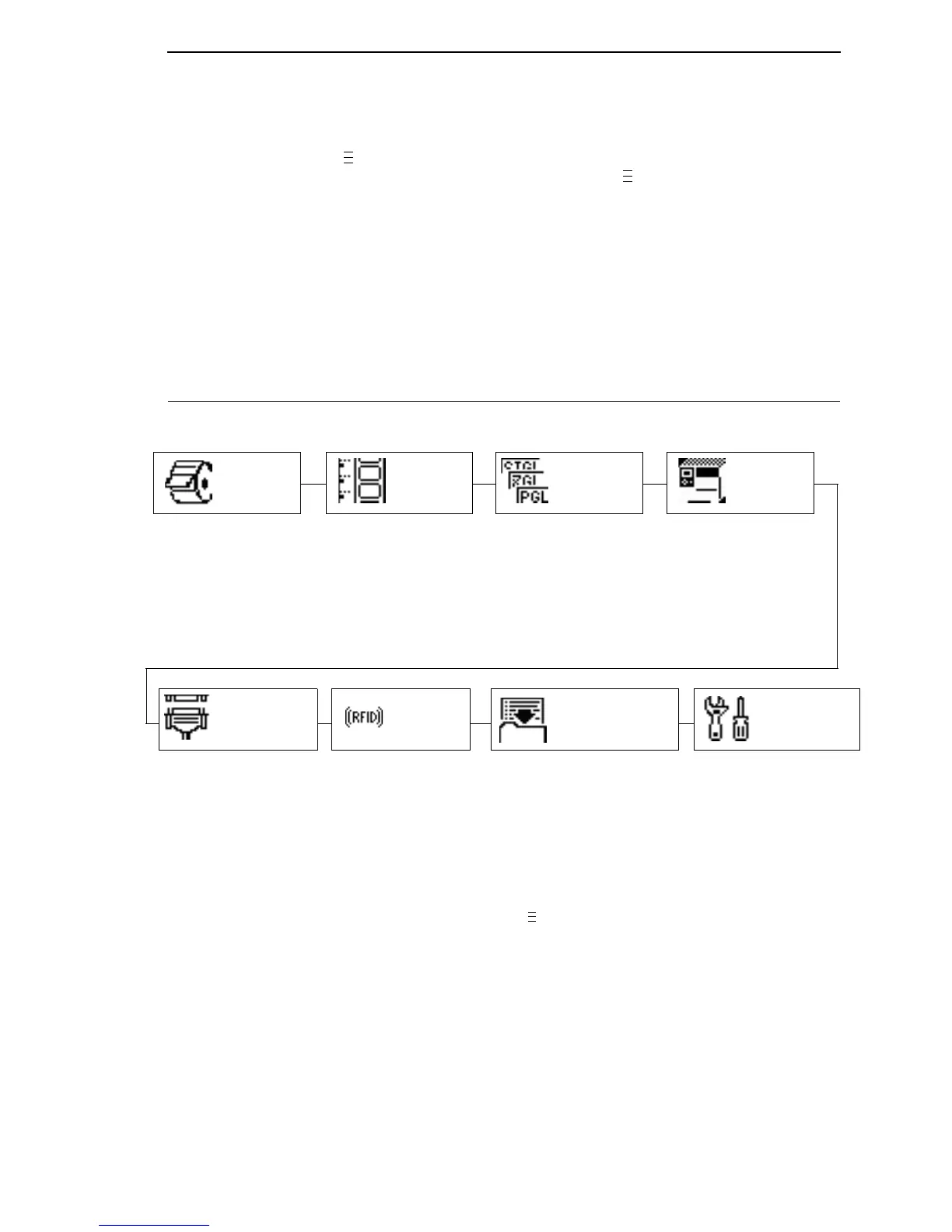
Menu Overview
MEDIA
SETUP
Control various
parameters related to
print quality, media, and
ribbon.
PRINTER
SETUP
Set the menus needed
to configure the
printer.
SENSOR
SETUP
Select the correct
media sensing for the
media type installed
and perform media
sensor calibration.
Select the desired
Active IGP emulation,
other emulations, and
various printer
operating parameters.
CONFIGURATION
Name, store, and retrieve up
to eight custom printer
configurations.
Setup and status
reporting for RFID
encoder if installed.
DIAGNOSTICS
Select various printer
tests, monitor and record
printer performance.
Press to select the next main menu.
Press the Up or Down keys to move within each main menu.
RFID
INTERFACES
Set host interfaces.
EMULATION














 To Next Page