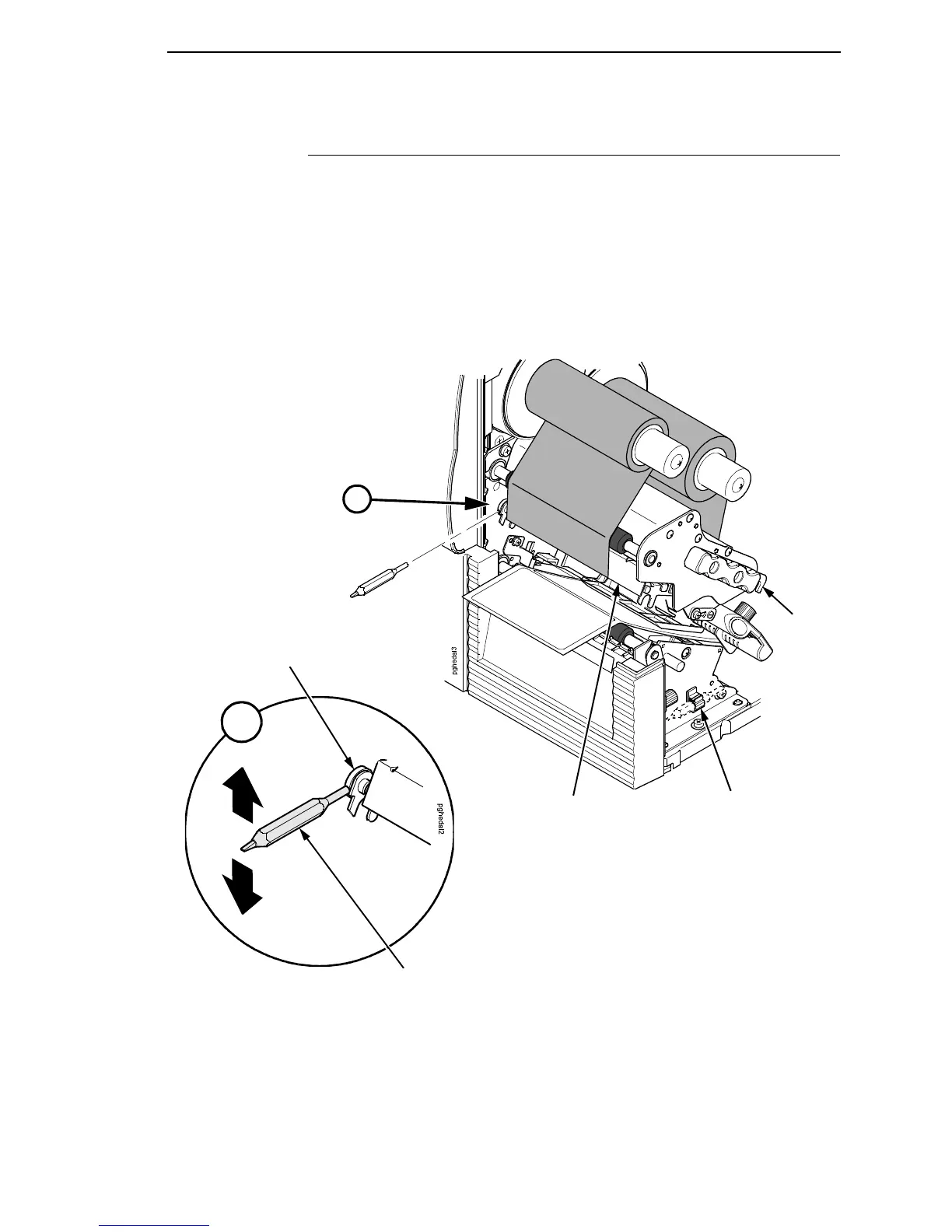
Printhead Alignment
43
Printhead Alignment
Align the printhead under the following conditions: to improve the print quality
when running difficult media with major differences in thickness, when
adjusting for media thickness (with the printhead pressure switch) did not
yield adequate print quality, or when you replace the printhead.
The printhead must be parallel with the platen for consistent image printing
across the label. If the printhead is misaligned, labels will print with uneven ink
distribution (i.e. splotches and fading ink). When you align the printhead, you
are moving the printhead forward and backward in relation to the platen.
1. Raise the media cover.
2. Open the pivoting deck by rotating the deck lock lever fully
counterclockwise.
Tool Clip
Pivoting Deck
Deck Lock
Lever
Printhead
Alignment Dial
Printhead
Alignment Tool
A
A














 To Next Page