Installation
31
NOTE: The software turns on the amber status LED at power-up. If a
hardware problem is detected at power-up the amber LED will blink
continuously.
The hardware turns on the green LED at power-up. If a problem is
detected with the software stored in the printer’s flash memory both
the amber and green LEDs will alternately blink continuously.
Under normal conditions, both LEDs remain on continuously.
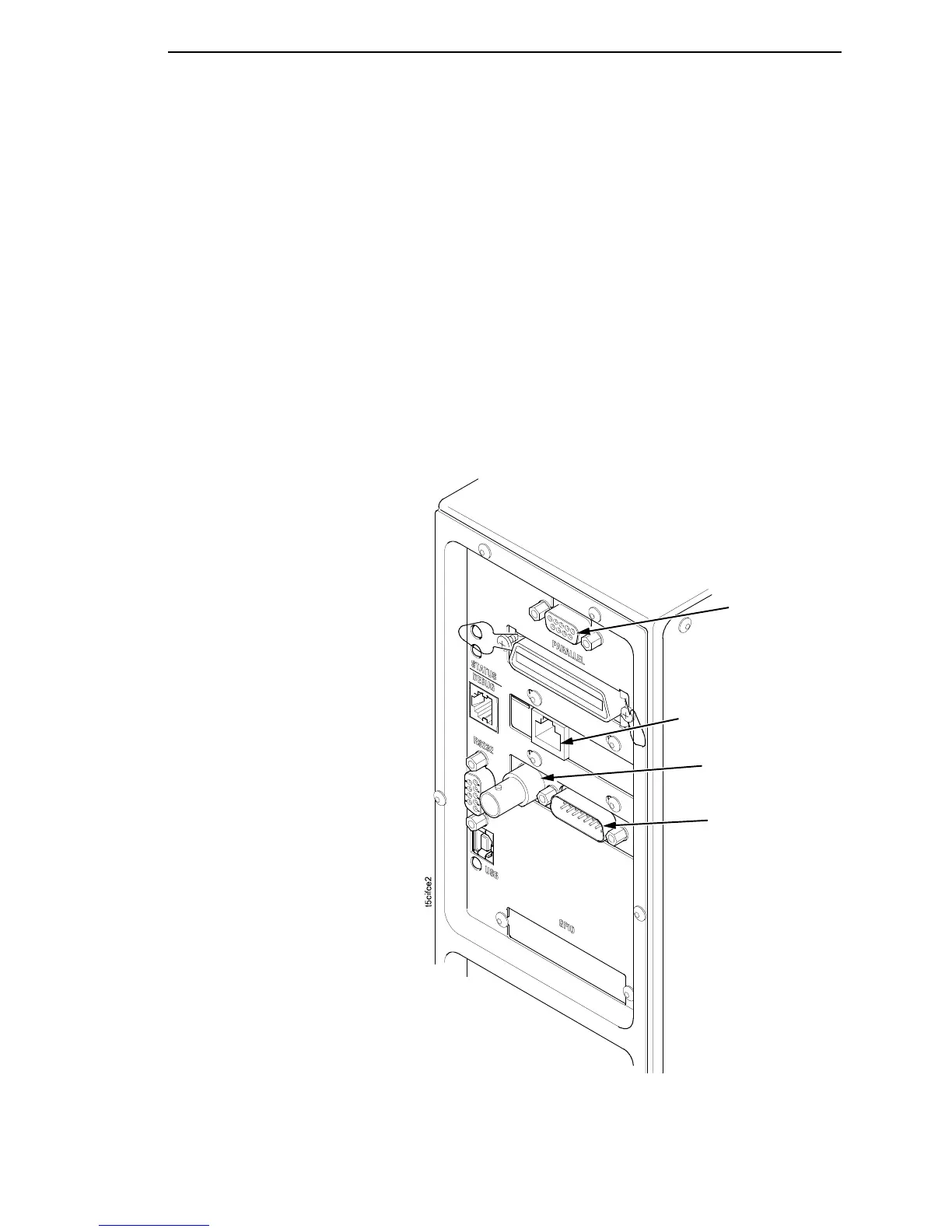
If your printer is equipped with the optional Coax/Twinax optional RS-422
and optional Network Interface Card (NIC), the rear I/O panel will appear
as illustrated below.
NOTE: The printer does not support simultaneous connection of the coax
and twinax interfaces using the Auto Switching feature. Auto
Switching is described on page 293.
RS-422
NIC Connection
Coax Connection
Coax/Twinax, RS-422, and NIC Interface Panel
Twinax Connection














 To Next Page