64
Chapter 2 Printing Adjustments
Printing Adjustments
Printhead Pressure Adjustment
Sometimes you will need to adjust printhead pressure because of variations in
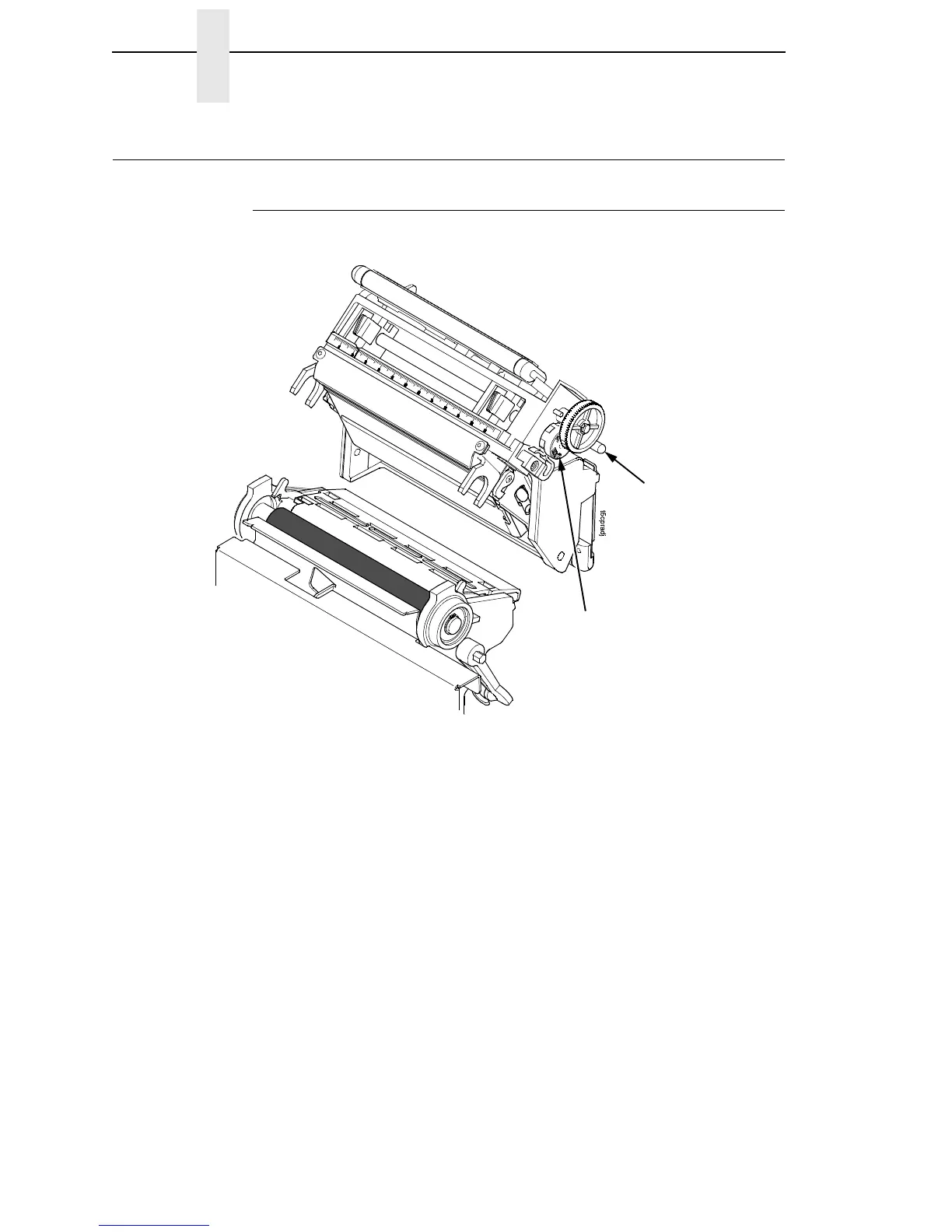
media thickness and width. The printhead pressure adjustment dial is shown
above. The value shown at the bottom of the dial is the active setting.
In general, adjust printhead pressure to the lowest value which produces the
desired print quality. Die cut labels usually require a setting of 4, while heavy
stock requires a setting of 6 to max. The numbers on the printhead pressure
adjustment lever are relative only and do not indicate a specific printhead
pressure or media thickness. By following this procedure, you will minimize
printhead wear.
Printhead Pressure
Adjustment Dial
Active Pressure
Setting














 To Next Page