368
Appendix E Installing The Media Cutter Tray
Installing The Media Cutter Tray
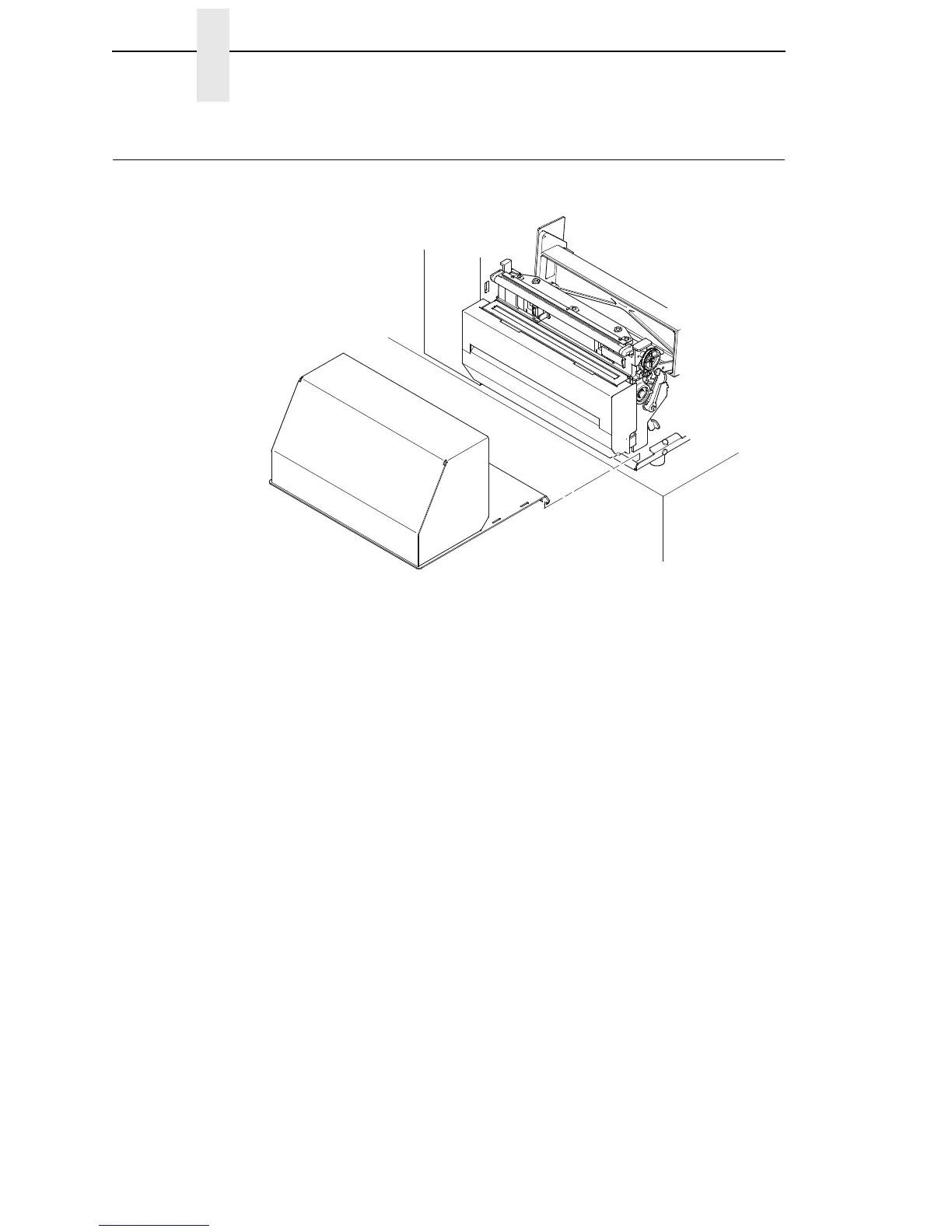
Figure 2. Placing the Media Tray Cutter in Position
1. Position the output area of the printer adjacent to the edge of the
supporting table or stand.
2. Open the media cover and slide the lip of the media cutter tray over the lip
of the printer base pan.














 To Next Page