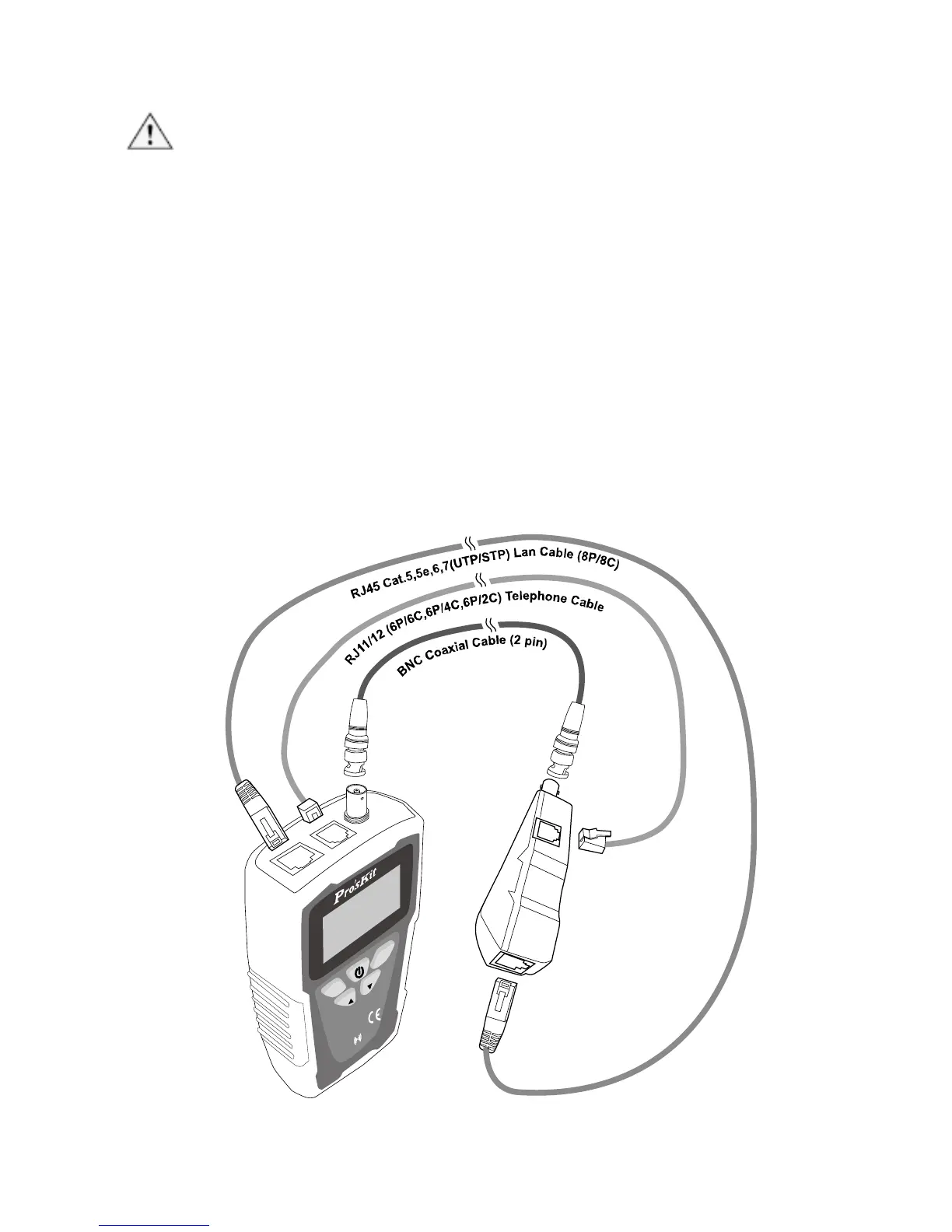
Cable mapping with standard remote unit
Caution!
• When performing cable mapping with standard remote unit, it will
indicate shielded or unshielded, but will not indicate ID number of
remote unit. The remote unit does not have buzzer alarm.
• When performing cable mapping with standard remote unit for
RJ11/RJ12 cable, 6P/6C、6P/4C、6P/2C, the test result and continuity
status will be shown as figure 4-1.
1. Please connect tested cable to transmitter and remote unit properly as
figure 3.
2. Please refer to page30「Operating process chart B. Type:)」to select
the corrected cable type (such as coaxial cable, telephone cable…).
3. Start to performing cable mapping test as page30 「Operating process
chart C. Cable Mapping」.
4. The test result of 1 to 1 remote unit will display on LCD, please refer to
figure 4-2.



 To Next Page