Length calibration
1. Prepare a 10m~50m ( 33~164Ft/ 11~55Yard) long standard cable to
measure.
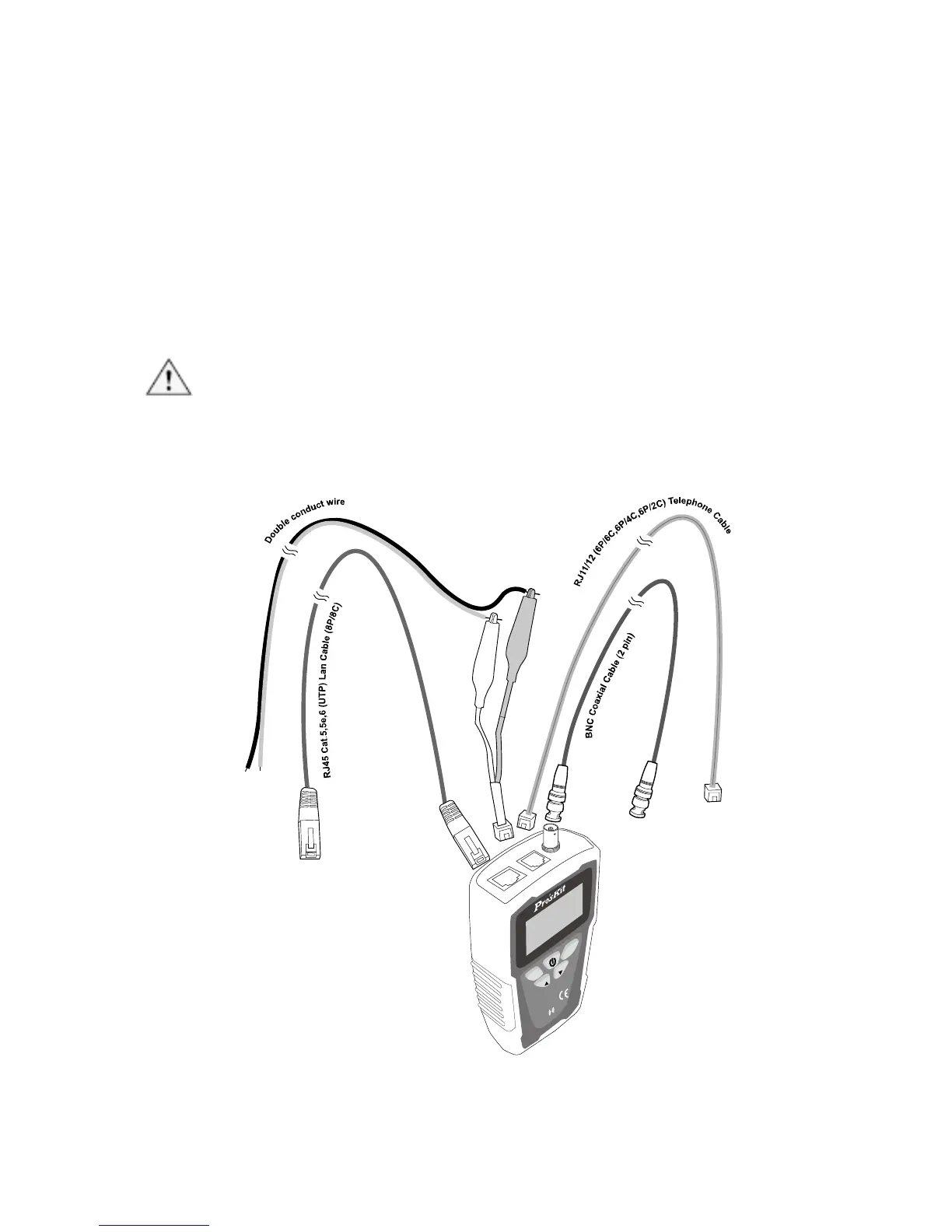
2. Connect MT-7071 and standard cable as figure 6.
3. Select unit if you want to change, please refer to page30「Operating
process chart F.(Unit:)」.
4. Select correct cable type as instruction (page30) of 「Operating process
chart B.(Type:)」. Then start to measure length calibration function.
5. Performing length calibration, please refer to page30「Operating process
chart G.( Calibration)」, follow the steps and save the measuring result
as「Calibration 1, Calibration2… Calibration 7」after calibration.
ATTENTION:When calibration saved, you should bring up the
calibration parameters and check the length is same as the standard
cable, if different, please double check the wiring is properly connected,
then measuring cable length again, save the result as calibration.



 To Next Page